 NEWS
NEWS
HomePod Software Reveals New Details of Apple’s Smart Speaker
 07/31/2017
 3262
3262
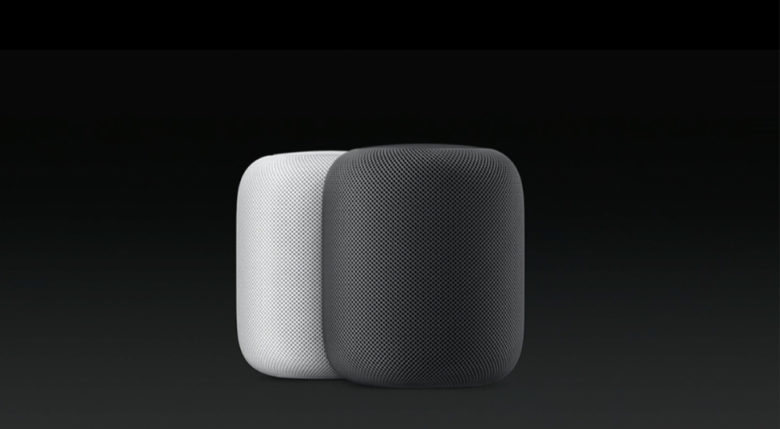
The launch of Apple’s new HomePod speaker isn’t slated until the very end of 2017, but after digging into the software that powers the new device, one developer has revealed a number of features fans can expect.
Notorious iOS sleuth Steve Troughton Smith has done some serious research into HomePod and discovered that it’s basically like another iOS device only it doesn’t have a big screen. That could open HomePod up to some exciting capabilities in the future.
Looks like the 'shell' app on HomePod is called SoundBoard. It runs a full iOS stack, unsurprisingly. Its apps are prefixed with 'Air' pic.twitter.com/IPFF0vV3UT
— Steve T-S (@stroughtonsmith) July 28, 2017
By diving into the HomePod firmware called AudioAccessory1,1, Smith found that the speaker will run the full iOS stack. It will rely on a shell app called SoundBoard which is probably a lot like the SpringBoard used on iOS.
HomePod Features
Smith’s findings reveal that HomePod will come with a number of accessibility features like VoiceOVer. It also appears that the HomePod pretends to be an iPhone SE for the iTune Store for some reason.
Third-party apps aren’t likely to arrive on HomePod anytime soon. Smith says there aren’t any provisions in the HomePod OS shell there doesn’t seem to be any kind of provision in the HomePod OS shell for installing apps or extensions.
The top LED area of the HomePod could have more advanced functionality than previously thought. Rather than just using big LEDs, it appears that the top surface is an LED Matrix. Temperature and weather icons could be displayed on the 32×32 pixel matrix.
Source: cult of mac










