
NEWS

Classic Speidel Twist-O-Flex Band Now Available For the Apple Watch, at $50

07/24/2017

2952

If you’re old or into vintage watches, chances are you’ve owned a watch with a Speidel Twist-O-Flex band. Similar in appearance to Apple’s Link Bracelet, there’s no snap-fasten clasp – instead, the whole band stretches. You simply insert your hand, the band stretching to accommodate it, and it then springs back into place on your wrist …


Speidel has now made its band available for the Apple Watch, priced at a rather affordable $50.
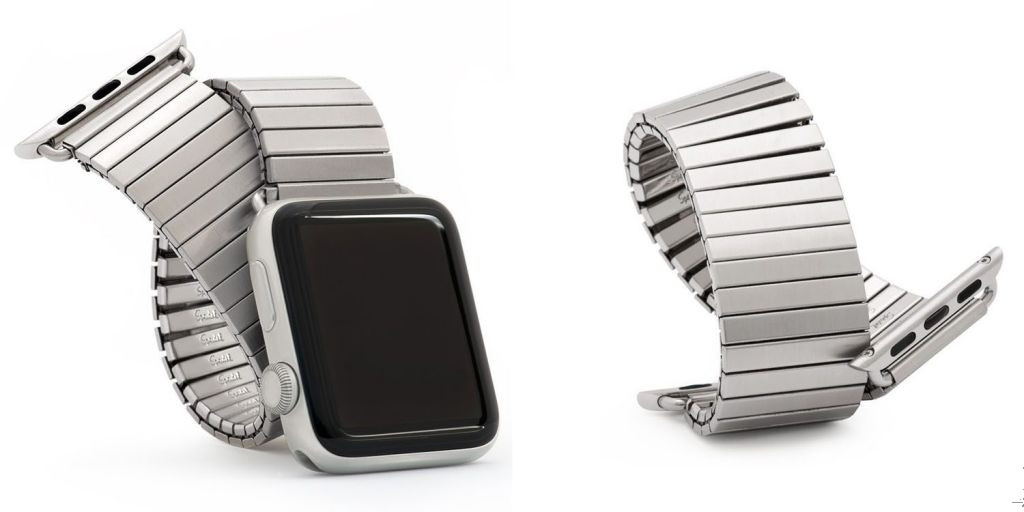

Classic Speidel Twist-O-Flex Band Now Available For the Apple Watch, at $50


The new version is available for both 38mm and 42mm watches, and it’s compatible with all models. Stephen Pulvirent, managing editor of watch site Hodinkee, rates the bands highly.


As with other link bands, they do need to be sized to your wrist by removing links. This is something you can do yourself if you’re confident at fiddly jobs – others are advised to take it to any jewellers, who should be able to do the job in a few minutes for five or ten bucks.


The bands stretch up to five inches, so you should have more than enough give to put on and take off. Both 42mm and 38mm versions are available on Amazon.


Source: 9to5mac

Windows
Mac OS
iOS
Linux
3uTools
Win 64-bit For this device
V9.0 2025-11-11
Download
Win 32-bit For this device
V9.0 2025-11-11
Download
3uTools
Intel Chip How to Identify Chip Type
V9.0 2025-12-02
Download
Apple Silicon
V9.0 2025-12-02
Download
How to Identify Chip Type
1.  Click the Apple icon in the top-left corner of the screen and select About This Mac.
2.  Check the Processor or Chip field to determine if it is "Intel" or "Apple".
Please use the 3uTools PC client to install the iOS client:
1、 Install either the Windows or Mac version of 3uTools on your computer
2、 Open the PC client and connect your device to the computer via USB cable
3、 After the connection is successful, wait for the computer to automatically install the mobile app for the device, or locate “Install Mobile App” on the computer and manually click to install.
3uTools
deb file
V3.01 2025-11-20
Download
rpm file
V3.01 2025-11-20
Download
Windows
Windows
iOS
iOS
Android
Android
TV
TV
3uAirPlayer
Win 64-bit For this device
V6.0.2 2025-11-19
Download
Win 32-bit For this device
V6.0.2 2025-11-19
Download
iOS Device Mirroring (No App Required)
1、 Install 3uAirPlayer on the Windows PC
2、 Open Control Center and select Screen Mirroring
3、 From the list, choose your PC to start mirroring
4、 Or connect your iOS device to the PC via USB to begin mirroring
Scan to get "3uAirPlayer" App
3uAirPlayer TV V1.0.18
2025-11-28
TV System Requirements: Android 7.0 or later
Download the TV installation package, copy it to a USB drive, insert it into your TV or set-top box, then select the file from the home screen to install.




