 NEWS
NEWS
Apple Aims to Get an iPad in the Hands of Every Hospital Patient
 07/17/2017
 3019
3019
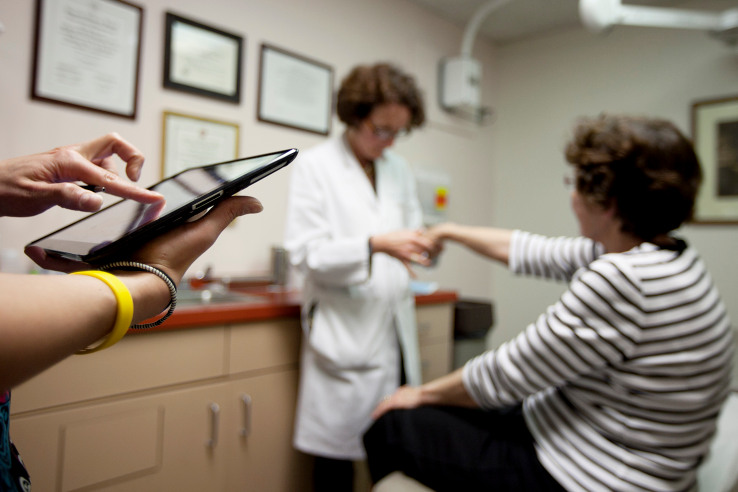
Apple has made great strides in health in the last few years and if it gets its way, there will be an iPad in the hands of every hospital patient.
It’s already started with a smattering of hospitals around the U.S. including Jacobs Medical Center at UC San Diego, MetroSouth Medical Center in Chicago and about a year ago at Cedars-Sinai in Los Angeles.
Earlier this week, I went down to L.A. to take a tour of Cedars-Sinai‘s pilot program allowing patients direct access to their vitals, care team and educational tools through iPads.
Doctors are already adept at using mobile devices and many have been using iPads in their practices for a number of years now, but allowing patient’s access to their own information is still a novel idea in the medical world. Cedars has been somewhat ahead of the curve with the creation of its EHR software My CS-Link, which allows patients to look up their information online, including notes from their doctor.
However, without the iPad, doctors and nurses have to follow a paper trail and then write up duplicate information on a white board often found on the back wall in the patient’s room. Mistakes can happen and, as Cedars-Sinai doctor Shaun Miller told me, the staff often run out of room to write, leading to confusion or a lack of information for the patient.
Cedars uses Epic’s MyChart software to record vitals and other info on roughly 50 iPads in its heart failure unit where patients often have to stay for an extended period of time. One patient, 32-year-old Awad Lsallum, traveled all the way from Saudi Arabia in hopes of receiving a new heart. To be honest Lsallum did not seem that impressed with the device. He’d already been at Cedars for a total of 40 days and said he gave the iPad back after a while. But he did say it was “comforting” to have the iPad so he “knows what’s going on.”
The program also benefits the care team. Michelle Williams, a registered nurse at Cedars told TechCrunch the program made it easier for nurses. The nursing staff often get stuck with duplicate work requiring both educating patients on care and checking to see if they have all the necessary information. However, the program offers educational videos on the iPad and a handy way for patients to see all their information at the same time.
In another section of the hospital, new parents are utilizing unmodified iPads to FaceTime with their newborns who may be sick or premature. These babies need to be kept isolated from the outside world and the germs that come with it so new parents aren’t usually able to see their baby for a few days after they are born. But, with what the nurses refer to as BabyTime (FaceTime for babies), parents can interact virtually with their little one while they wait.
Other hospitals, including those mentioned above, have embraced Apple’s tools as well. The trick now is to place these devices into the patient’s hands — something both Apple and Cedars-Sinai seem to be trying to do.
Of course, these devices come with a few security headaches — even more so when you open up the information to patients. But despite the worries, Miller welcomes the new technology.
A year in and he says “It’s a lot easier now to communicate,” adding the next step would be “opening up API’s and adding data standards so [the information] is accurate.”
Source: Techcrunch










