
NEWS

Safari 11 Could Be The Fastest Browser For The Mac

07/14/2017

3179

There are many browsers available for Mac users. There is Chrome, Firefox, Opera, and of course the default browser Safari. If you are a Mac user who might be using third-party browsers instead of Safari, perhaps Safari 11 that will be bundled in macOS High Sierra could change your mind.


The folks at Macworld have recently run several benchmarks for the various browsers on the Mac, including that of Safari 11 which is currently available in macOS High Sierra beta. Based on their findings, it seems that Apple’s native browser has proven that it is the fastest of the bunch.
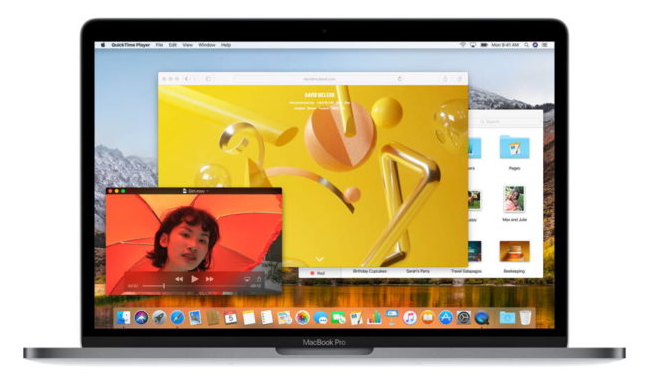

Safari 11 Could Be The Fastest Browser For The Mac


We’re also not talking about it being marginally faster either. Based on the numbers, Safari 11 is beating the competition by a lot, at least in most cases. However we suppose that browser speed is just one aspect that users consider when choosing a browser. For example despite Chrome being notorious for being a memory hog (in the past), users continued to use it due to its integration with the rest of Google’s services.


However if speed is a key factor for you and you are willing to forsake certain features that might be exclusive to other browsers, then perhaps Safari 11 might be worth your consideration (if you are using a Mac).


Source: ubergizmo

Windows
Mac OS
iOS
Linux
3uTools
Win 64-bit For this device
V9.0 2025-11-11
Download
Win 32-bit For this device
V9.0 2025-11-11
Download
3uTools
Intel Chip How to Identify Chip Type
V9.0 2025-12-02
Download
Apple Silicon
V9.0 2025-12-02
Download
How to Identify Chip Type
1.  Click the Apple icon in the top-left corner of the screen and select About This Mac.
2.  Check the Processor or Chip field to determine if it is "Intel" or "Apple".
Please use the 3uTools PC client to install the iOS client:
1、 Install either the Windows or Mac version of 3uTools on your computer
2、 Open the PC client and connect your device to the computer via USB cable
3、 After the connection is successful, wait for the computer to automatically install the mobile app for the device, or locate “Install Mobile App” on the computer and manually click to install.
3uTools
deb file
V3.01 2025-11-20
Download
rpm file
V3.01 2025-11-20
Download
Windows
Windows
iOS
iOS
Android
Android
TV
TV
3uAirPlayer
Win 64-bit For this device
V6.0.2 2025-11-19
Download
Win 32-bit For this device
V6.0.2 2025-11-19
Download
iOS Device Mirroring (No App Required)
1、 Install 3uAirPlayer on the Windows PC
2、 Open Control Center and select Screen Mirroring
3、 From the list, choose your PC to start mirroring
4、 Or connect your iOS device to the PC via USB to begin mirroring
Scan to get "3uAirPlayer" App
3uAirPlayer TV V1.0.18
2025-11-28
TV System Requirements: Android 7.0 or later
Download the TV installation package, copy it to a USB drive, insert it into your TV or set-top box, then select the file from the home screen to install.




