
NEWS

Apple Releases iOS 11 Beta 3 to Developers

07/11/2017

4172

Apple has released iOS 11 developer beta 3 for developers on iPhone, iPad, and iPod touch. iOS 11 brings new features like drag-and-drop and a redesigned multitasking interface for iPad, a new customizable Control Center, and much more.


New in beta 3 is a swipe up gesture for iPad users to close apps, tweaked behavior to Cover Sheet Notification Center and more …
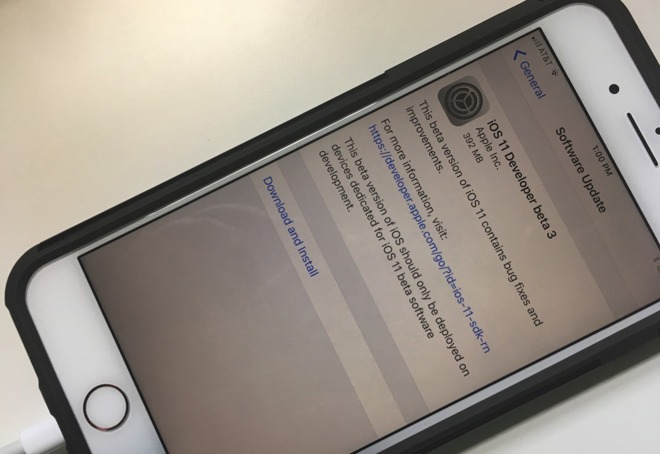

Apple Releases iOS 11 Beta 3 to Developers


iOS 11 beta 3 is currently only available to registered developers for now, but al always you could try this beta3 version in 3uTools. Apple typically holds new public beta versions for a few days for major updates.


Apple also recently released a special ‘Update 1’ to iOS 11 beta for some devices to resolve a DFU restore issue. Today’s release is available to all users, so it seems like the DFU update has been fixed.


Whilst iOS 11 beta 3 does not have any groundbreaking changes.


Apple today released iOS 11 beta 3 for developers alongside new builds of macOS High Sierra and tvOS. There was no new watchOS beta released today, perhaps that will follow later in the week.


We would expect to see public betas for iOS 11 seed 3 released later this week.


Source: appleinsider


Windows
Mac OS
iOS
Linux
3uTools
Win 64-bit For this device
V9.0 2025-11-11
Download
Win 32-bit For this device
V9.0 2025-11-11
Download
3uTools
Intel Chip How to Identify Chip Type
V9.0 2025-12-02
Download
Apple Silicon
V9.0 2025-12-02
Download
How to Identify Chip Type
1.  Click the Apple icon in the top-left corner of the screen and select About This Mac.
2.  Check the Processor or Chip field to determine if it is "Intel" or "Apple".
Please use the 3uTools PC client to install the iOS client:
1、 Install either the Windows or Mac version of 3uTools on your computer
2、 Open the PC client and connect your device to the computer via USB cable
3、 After the connection is successful, wait for the computer to automatically install the mobile app for the device, or locate “Install Mobile App” on the computer and manually click to install.
3uTools
deb file
V3.01 2025-11-20
Download
rpm file
V3.01 2025-11-20
Download
Windows
Windows
iOS
iOS
Android
Android
TV
TV
3uAirPlayer
Win 64-bit For this device
V6.0.2 2025-11-19
Download
Win 32-bit For this device
V6.0.2 2025-11-19
Download
iOS Device Mirroring (No App Required)
1、 Install 3uAirPlayer on the Windows PC
2、 Open Control Center and select Screen Mirroring
3、 From the list, choose your PC to start mirroring
4、 Or connect your iOS device to the PC via USB to begin mirroring
Scan to get "3uAirPlayer" App
3uAirPlayer TV V1.0.18
2025-11-28
TV System Requirements: Android 7.0 or later
Download the TV installation package, copy it to a USB drive, insert it into your TV or set-top box, then select the file from the home screen to install.




