 NEWS
NEWS
China’s Black Market can Build An iPhone from Scratch
 06/29/2017
 3877
3877
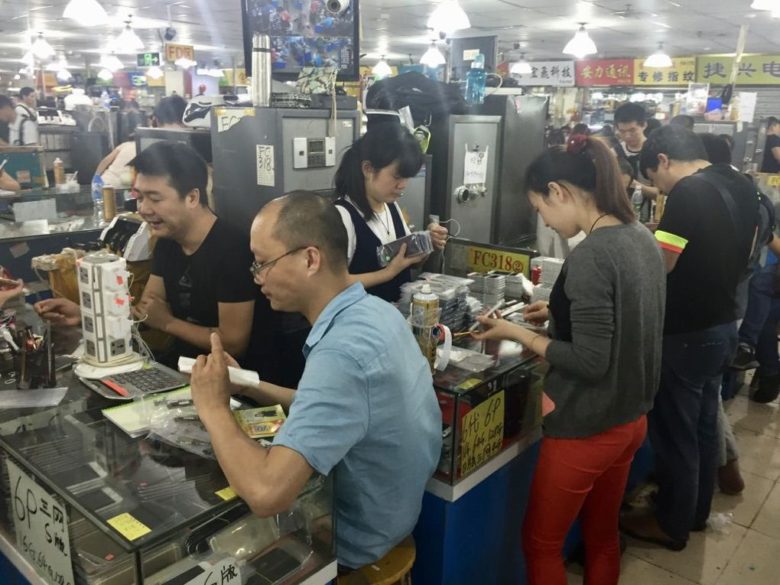
You don’t have to visit a Foxconn factory to see an iPhone built from scratch.
Visit China’s black market and you’ll meet traders with the components, tools, and know-how to build you a working handset for a fraction of the price you would pay Apple. The whole process is complete by the time you’ve finished your coffee.
In a piece for Wired to celebrate the tenth anniversary of the iPhone, Brian Merchant, author of new book The One Device: The Secret History of the iPhone, describes how he bought an iPhone 4s for just 350 renminbi (about $50) on the streets of Shenzhen.
But this wasn’t just any iPhone 4s. It was a model built from scratch using individual components sourced from various traders. You can find everything you need — and the people to build it — in China’s black market.
“In downtown Shenzhen, a couple blocks from the famed electronics market, this smoky four-story building the size of a suburban minimall is an emporium for refurbished, reused and black-market iPhones,” Merchant writes.
“You have to see it to believe it. I’ve never seen so many iPhones in one place — not at an Apple Store, not raised by the crowd at a rock concert, not at the Consumer Electronic Show.”
Everything you could possibly want is there, including original Apple parts, and custom iPhone casings made out of 24-carat gold that cost just $10. It looks like “an iPhone factory that has thrown up all over itself,” Merchant says.
Merchant found a trader who was willing to build him his iPhone 4s. He sourced all the parts required, then built it from scratch in 15 minutes.
Source: cult of mac










