 NEWS
NEWS
Shocking Footage Shows Brazen Thieves Rob An Apple Store
 05/31/2017
 3683
3683
Shocking footage shows brazen thieves rob a California Apple store in broad daylight despite shoppers' attempts to blockade the doors in a bid to stop them. A daring and not camera-shy group of thieves struck an Apple store, grabbing laptops and other equipment before running out the door.
Bystanders in the Rancho Cucamonga Apple on Sunday afternoon store videotaped and some tried to stop the brazen thieves as they snatched laptops and iPhones that were on display and dashed out the door with what they could get. Video of the robbery posted by witness Vanessa Duarte on Facebook showed what appeared to be four young men in dark hoodies gathering up electronics and hustling from the store in Victoria Gardens.
One unidentified suspect runs towards the door after apparently grabbing or trying to grab Apple products on display in the Rancho Cucamonga. Several witnesses appear to try to block the store's door but the men push past them. The last man taking up the rear is seen running out with at least two laptops clutched in his hands.
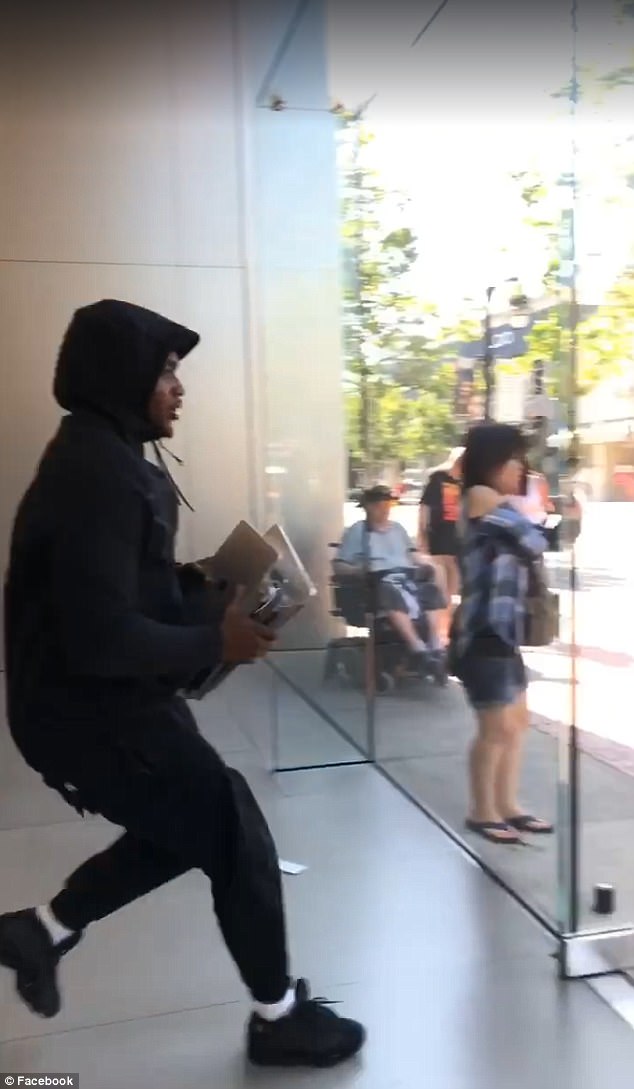
But Duarte said the men didn't get away with as much loot as they'd hoped to get.'They dropped almost all they wanted to take cause everything is attached to the tables,' she wrote, adding laughing emojis.
Duarte said she was standing in the store when she saw the men grabbing goods and videotaped them as they made their getaway and that she 'almost got hit.' She said she'd shared her video with the store. The group then took off in a black four-door vehicle without license plates.
Source: dailymail










