NEWS

32GB iPhone 6 is Now on Sale in the U.K.

05/25/2017

3546

32GB iPhone 6 is Now on Sale in the U.K.


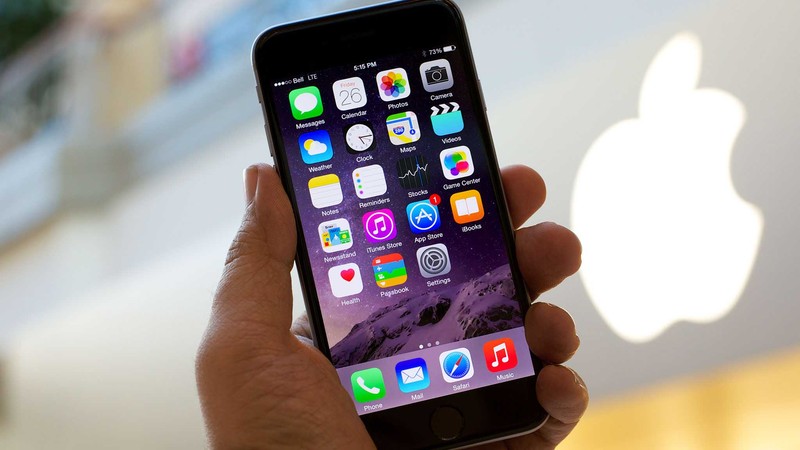
If you want an affordable iPhone, but you don’t want to settle for a 4-inch iPhone SE, you might want to check out Apple’s relaunched 32GB iPhone 6.


It originally made its debut in emerging markets back in March, then in the U.S. — and now you can buy it in the United Kingdom.


It might be three years old this September, but the iPhone 6 is still a terrific smartphone. It looks just like Apple’s most recent devices (almost), it’s capable of running the company’s latest software, and it boasts internals that remain decent today.


They include a 4.7-inch Retina HD display, a 64-bit A8 processor, an 8-megapixel iSight camera with Focus Pixels, and of course, Touch ID. The new model also offers 32GB of storage, which is twice as much as the entry-level iPhone 6 originally offered.


Apple doesn’t sell this particular iPhone 6 directly to consumers — it no longer sells any iPhone 6 variant — but you can buy it from carriers and third-party retailers. EE is the first one to offer it in the U.K., and prices start at £35.49 a month, with nothing to pay upfront.


Is it a good time to buy an iPhone 6?

In short, not really. In just a few months, Apple will be launching its next-generation iPhones, at which point iPhone 7 and iPhone 6s will become more affordable. What’s more, the 32GB iPhone 6 isn’t actually that cheaper than an iPhone 7 — at least not on EE.


Source: cult of mac



Windows
Mac OS
iOS
Linux
3uTools
Win 64-bit For this device
V9.0 2025-11-11
Download
Win 32-bit For this device
V9.0 2025-11-11
Download
3uTools
Intel Chip How to Identify Chip Type
V9.0 2025-12-02
Download
Apple Silicon
V9.0 2025-12-02
Download
How to Identify Chip Type
1.  Click the Apple icon in the top-left corner of the screen and select About This Mac.
2.  Check the Processor or Chip field to determine if it is "Intel" or "Apple".
Please use the 3uTools PC client to install the iOS client:
1、 Install either the Windows or Mac version of 3uTools on your computer
2、 Open the PC client and connect your device to the computer via USB cable
3、 After the connection is successful, wait for the computer to automatically install the mobile app for the device, or locate “Install Mobile App” on the computer and manually click to install.
3uTools
deb file
V3.01 2025-11-20
Download
rpm file
V3.01 2025-11-20
Download
Windows
Windows
iOS
iOS
Android
Android
TV
TV
3uAirPlayer
Win 64-bit For this device
V6.0.2 2025-11-19
Download
Win 32-bit For this device
V6.0.2 2025-11-19
Download
iOS Device Mirroring (No App Required)
1、 Install 3uAirPlayer on the Windows PC
2、 Open Control Center and select Screen Mirroring
3、 From the list, choose your PC to start mirroring
4、 Or connect your iOS device to the PC via USB to begin mirroring
Scan to get "3uAirPlayer" App
3uAirPlayer TV V1.0.18
2025-11-28
TV System Requirements: Android 7.0 or later
Download the TV installation package, copy it to a USB drive, insert it into your TV or set-top box, then select the file from the home screen to install.