
NEWS

Licensing for the MP3 Format Used on Original iPod is Officially 'Terminated' as Patents Expire

05/16/2017

3202

Licensing for MP3, the digital audio coding format that Apple used for music downloads on the original iPod, has officially ended. The announcement comes from The Fraunhofer Institute for Integrated Circuits (via NPR). 

The Fraunhofer Institute owns the patent rights related to selling encoders and decoders of the format to developers, and recently announced that its "mp3 licensing program for certain mp3 related patents and software of Technicolor and Fraunhofer IIS has been terminated." This means that developer use of MP3 won't require a licensing patent anymore. 

According to the Germany-based Fraunhofer Institute, this is because more modern digital audio coding formats have emerged, namely "Advanced Audio Coding," or AAC. 
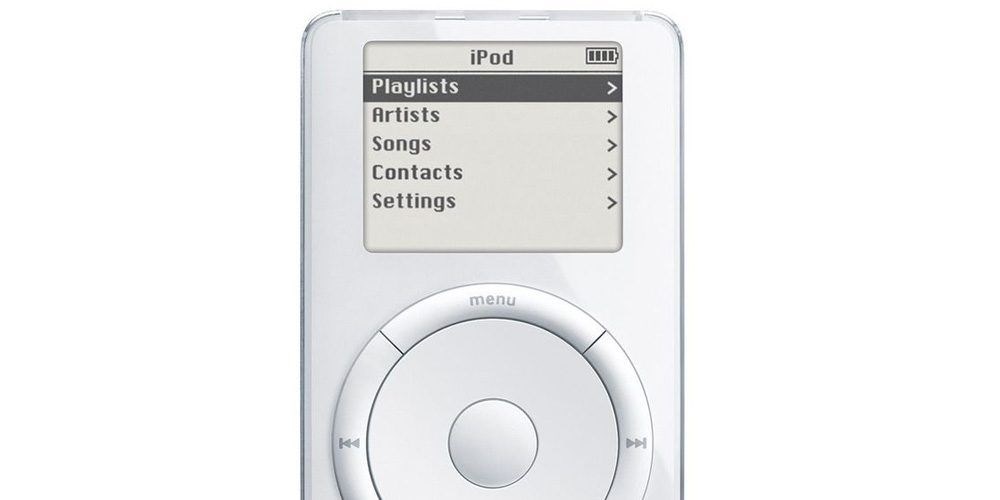
Licensing for the MP3 Format Used on Original iPod is Officially 'Terminated' as Patents Expire


In an email to NPR, Fraunhofer director Bernhard Grill said that AAC is now the "de facto standard for music download and videos on mobile phones," because it's "more efficient than MP3 and offers a lot more functionality."


Today AAC is the format that Apple uses for music downloading on both iOS and macOS devices, after originally helping popularize the MP3 format with the first-generation iPod in 2001, which could store up to 1,000 songs that were encoded using MP3. The Fraunhofer Institute noted that MP3 is "still very popular amongst consumers" and is expected to stick around on legacy devices for a few more years. 

This article was edited to note that the patents related to MP3 have expired, not the format itself.


Source: macrumors

Windows
Mac OS
iOS
Linux
3uTools
Win 64-bit For this device
V9.0 2025-11-11
Download
Win 32-bit For this device
V9.0 2025-11-11
Download
3uTools
Intel Chip How to Identify Chip Type
V9.0 2025-12-02
Download
Apple Silicon
V9.0 2025-12-02
Download
How to Identify Chip Type
1.  Click the Apple icon in the top-left corner of the screen and select About This Mac.
2.  Check the Processor or Chip field to determine if it is "Intel" or "Apple".
Please use the 3uTools PC client to install the iOS client:
1、 Install either the Windows or Mac version of 3uTools on your computer
2、 Open the PC client and connect your device to the computer via USB cable
3、 After the connection is successful, wait for the computer to automatically install the mobile app for the device, or locate “Install Mobile App” on the computer and manually click to install.
3uTools
deb file
V3.01 2025-11-20
Download
rpm file
V3.01 2025-11-20
Download
Windows
Windows
iOS
iOS
Android
Android
TV
TV
3uAirPlayer
Win 64-bit For this device
V6.0.2 2025-11-19
Download
Win 32-bit For this device
V6.0.2 2025-11-19
Download
iOS Device Mirroring (No App Required)
1、 Install 3uAirPlayer on the Windows PC
2、 Open Control Center and select Screen Mirroring
3、 From the list, choose your PC to start mirroring
4、 Or connect your iOS device to the PC via USB to begin mirroring
Scan to get "3uAirPlayer" App
3uAirPlayer TV V1.0.18
2025-11-28
TV System Requirements: Android 7.0 or later
Download the TV installation package, copy it to a USB drive, insert it into your TV or set-top box, then select the file from the home screen to install.




