
NEWS

Apple Posts New Web Page Emphasizing U.S. Job Creation

05/05/2017

2665

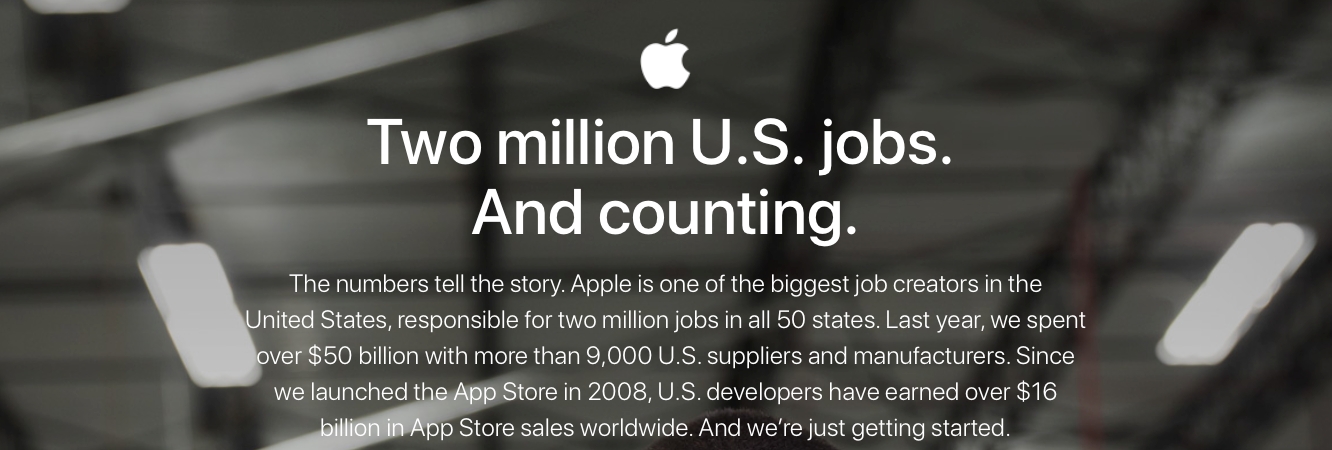
Apple has published a new web page highlighting U.S. domestic job creation by the company, reiterating and expanding on numbers shared by CEO Tim Cook during Tuesday’s earnings call. As the new web page points out, Apple is “one of the biggest job creators in the United States,” both directly and indirectly supporting more than two million jobs across all 50 U.S. states, and having spent over $50 billion into the U.S. economy through deals with American suppliers, developers, and partners.

Apple Posts New Web Page Emphasizing U.S. Job Creation


 Apple’s new web page breaks down the numbers more specifically, citing 80,000 employees in the U.S. directly employed by Apple, 450,000 jobs through U.S.-based suppliers, and then adds over 1.5 million jobs attributed to the App Store ecosystem. Interestingly, the page also specifically breaks down the number of jobs in each U.S. state, along with a few key apps that originated in those states (not surprisingly, California represents the largest numbers), and a map showing where App Store ecosystem jobs have been created across the U.S.


Source: ilounge

Windows
Mac OS
iOS
Linux
3uTools
Win 64-bit For this device
V9.0 2025-11-11
Download
Win 32-bit For this device
V9.0 2025-11-11
Download
3uTools
Intel Chip How to Identify Chip Type
V9.0 2025-12-02
Download
Apple Silicon
V9.0 2025-12-02
Download
How to Identify Chip Type
1.  Click the Apple icon in the top-left corner of the screen and select About This Mac.
2.  Check the Processor or Chip field to determine if it is "Intel" or "Apple".
Please use the 3uTools PC client to install the iOS client:
1、 Install either the Windows or Mac version of 3uTools on your computer
2、 Open the PC client and connect your device to the computer via USB cable
3、 After the connection is successful, wait for the computer to automatically install the mobile app for the device, or locate “Install Mobile App” on the computer and manually click to install.
3uTools
deb file
V3.01 2025-11-20
Download
rpm file
V3.01 2025-11-20
Download
Windows
Windows
iOS
iOS
Android
Android
TV
TV
3uAirPlayer
Win 64-bit For this device
V6.0.2 2025-11-19
Download
Win 32-bit For this device
V6.0.2 2025-11-19
Download
iOS Device Mirroring (No App Required)
1、 Install 3uAirPlayer on the Windows PC
2、 Open Control Center and select Screen Mirroring
3、 From the list, choose your PC to start mirroring
4、 Or connect your iOS device to the PC via USB to begin mirroring
Scan to get "3uAirPlayer" App
3uAirPlayer TV V1.0.18
2025-11-28
TV System Requirements: Android 7.0 or later
Download the TV installation package, copy it to a USB drive, insert it into your TV or set-top box, then select the file from the home screen to install.




