 NEWS
NEWS
iOS 11 Will Enhance Siri With iMessage Integration, User Behavior Learning?
 03/28/2017
 4710
4710
Apple could expand Siri with new intelligent features in this year's iOS 11 update, according to a report today. The company is planning to add iMessage integration for the first time, letting Siri help you write texts by offering predictive suggestions.
The claims were made in an article by Israeli tech blog The Verifier today. The site reports Apple is planning further improvements to Siri above the features introduced with last year's iOS 10. This time, the company will focus on assisting users to complete common smartphone tasks.
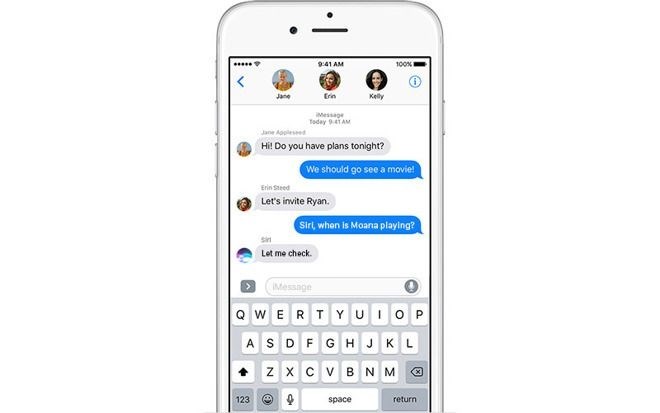
Apple considerably expanded Siri in 2016 with iOS 10. It now allows developers to add Siri to their own apps, letting you say voice commands to interact with third-party services. The company has aimed to achieve the proactive assistance touted by Google. As Apple prepares to face a new rival in the form of Samsung's upcoming Bixby, the company looks to be readying another Siri upgrade to ensure the assistant remains relevant to users.In iOS 11, Apple will expand Siri's proactive features to allow it to learn from users, The Verifier reports. Siri will be able to study the user's habits and regular patterns, changing the functions offered in response to the activity of the device owner. Everything will be uploaded to Apple's iCloud and synced across devices, preserving context across conversations. You could start an exchange on your iPhone and then resume it on your Mac computer.
Apple is expected to unveil iOS 11 at its Worldwide Developer's Conference event this June. Details on the rest of the operating system are currently light. It follows last year's "biggest ever" iOS 10 release which debuted a new streamlined interface and an overhaul of many stock Apple apps, alongside the significant Siri improvements and a myriad of smaller features.
Source: diagitaljournal










