NEWS

Rare Photos Reveal Apple keynote Progenitor

03/24/2017

4584

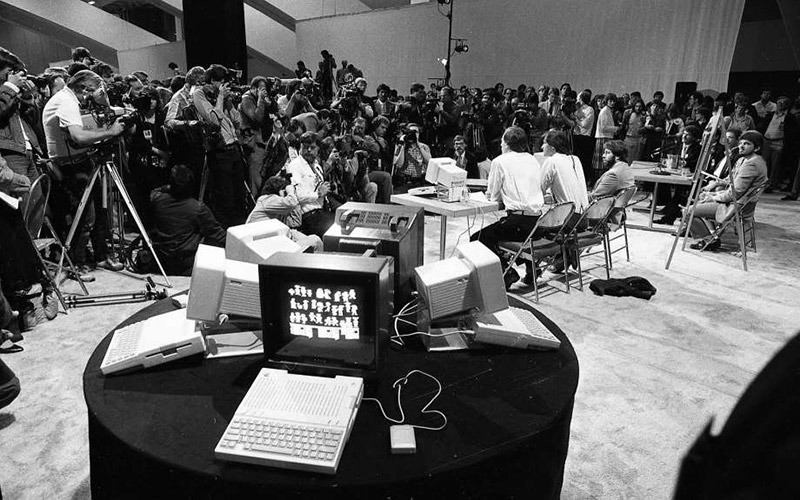
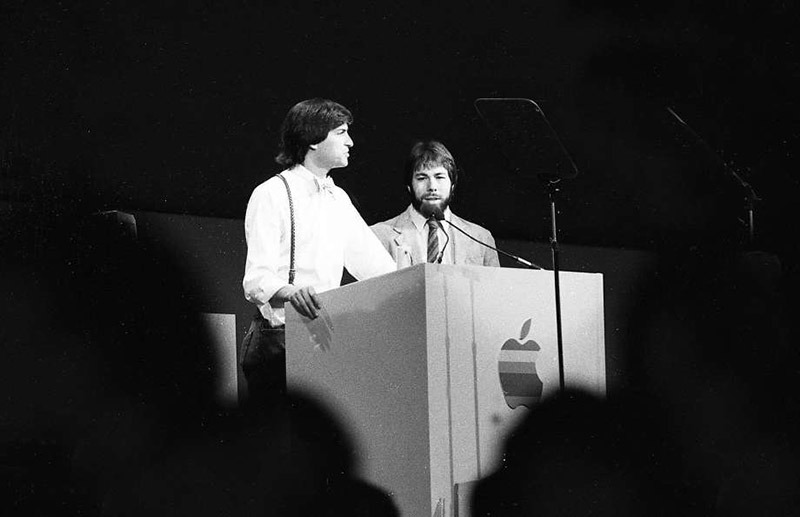
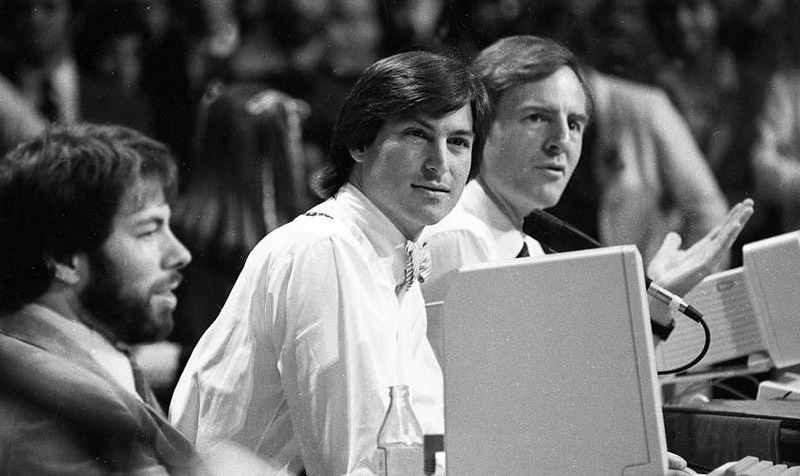
A set of photographs taken during Apple's 1984 announcement of the Apple IIc surfaced online on Thursday, showing company cofounders Steve Jobs and Steve Wozniak taking part in a media bonanza that would serve as a model of contemporary Apple keynotes. 


Recently unearthed by the San Francisco Chronicle, the photos of depict a large-scale showing at San Francisco's Moscone Center, a venue often used by Apple for product launches, conferences and other gatherings. The presentation, dubbed "Apple II Forever," was one of Apple's first attempts at spectacle-as-marketing.

Rare Photos Reveal Apple keynote Progenitor


"Apple II Forever" took place just three months after the first Macintosh was released in January 1984. Though the portable IIc failed to gain traction with consumers, its splashy reveal would serve as a guide for future Apple debuts. 


The early event started with an iconically 80's video titled "Apple II Forever". Set to a theme song of the same name, the short featured a slideshow of photos chronicling Apple's history and successes up to 1984, including the Apple I, a groundbreaking ceremony and the company's IPO. 

Rare Photos Reveal Apple keynote Progenitor

Rare Photos Reveal Apple keynote Progenitor

Source: appleinsider


Windows
Mac OS
iOS
Linux
3uTools
Win 64-bit For this device
V9.0 2025-11-11
Download
Win 32-bit For this device
V9.0 2025-11-11
Download
3uTools
Intel Chip How to Identify Chip Type
V9.0 2025-12-02
Download
Apple Silicon
V9.0 2025-12-02
Download
How to Identify Chip Type
1.  Click the Apple icon in the top-left corner of the screen and select About This Mac.
2.  Check the Processor or Chip field to determine if it is "Intel" or "Apple".
Please use the 3uTools PC client to install the iOS client:
1、 Install either the Windows or Mac version of 3uTools on your computer
2、 Open the PC client and connect your device to the computer via USB cable
3、 After the connection is successful, wait for the computer to automatically install the mobile app for the device, or locate “Install Mobile App” on the computer and manually click to install.
3uTools
deb file
V3.01 2025-11-20
Download
rpm file
V3.01 2025-11-20
Download
Windows
Windows
iOS
iOS
Android
Android
TV
TV
3uAirPlayer
Win 64-bit For this device
V6.0.2 2025-11-19
Download
Win 32-bit For this device
V6.0.2 2025-11-19
Download
iOS Device Mirroring (No App Required)
1、 Install 3uAirPlayer on the Windows PC
2、 Open Control Center and select Screen Mirroring
3、 From the list, choose your PC to start mirroring
4、 Or connect your iOS device to the PC via USB to begin mirroring
Scan to get "3uAirPlayer" App
3uAirPlayer TV V1.0.18
2025-11-28
TV System Requirements: Android 7.0 or later
Download the TV installation package, copy it to a USB drive, insert it into your TV or set-top box, then select the file from the home screen to install.