 NEWS
NEWS
Apple Irks Korean Consumers Afresh
 03/21/2017
 3493
3493
Apple is drawing criticism again for disregarding Korea after it decided to make heavy investments in China, according to the industry, Monday.
The U.S. enterprise announced Sunday an additional 3.5 billion yuan ($508 million) investment to build two R&D centers in China's Shanghai and Suzhou. The firm has previously promised to establish two R&D centers in Beijing and Shenzhen. All four R&D centers are scheduled to be completed this year.
The move struck a stark contrast to Apple's tepid response to the Korean market. The company has yet to open an Apple Store for consumer service, not to mention an R&D facility here, which led to great inconveniences for Apple product users.
"For Apple, it is natural to boost investment in one of the world's largest smartphone markets where iPhones have been increasingly losing steam in recent years," an industry source said. "But Korean consumers would not be happy with such news because there is no Apple Store in Korea."
Apple has 40 Apple Stores in China. Despite the iPhone's high popularity here since its debut in 2009, Apple has not yet established one in Korea. The company finally decided to set up one here in Sinsa-dong, southern Seoul, but it remains to be seen when it will open.
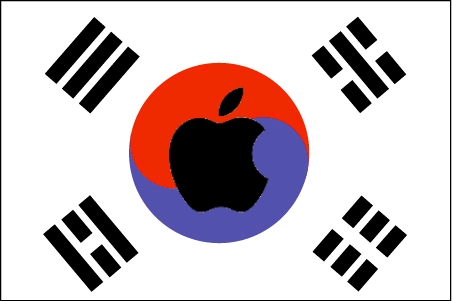
Without an Apple Store in Korea, the company has provided after-sale services only indirectly through third-party agencies here, inconveniencing consumers.
Apple's decision to establish four R&D bases in China came as the company's performance in the country started to dwindle in recent years amid rapid growth of local brands.
China's smartphone market grew 9 percent year-on-year last year. But Apple's share in the market has continued to decrease.
According to data by global market researcher IDC, Apple has been overtaken by Oppo, Huawei and Vivo in the Chinese smartphone market, with its sales in the fourth quarter last year dropping 12 percent from the previous year. Its market share was 9.6 percent, down 4 percentage points from 13.6 percent in 2015.
Oppo, on the other hand, jumped to the top from the fourth spot in 2015, by doubling its market share with 16.8 percent last year. Vivo has also boosted its market share to 14.8 percent, up from 8.2 percent in 2015.
Apple is also seeking to boost its localization drive in China by building R&D centers and hiring Chinese workers to regain its share in the local market.
Apple CEO Tim Cook visited Beijing to speak at the China Development Forum on Saturday. He urged the Chinese government to open more to foreign companies.
"I think it is important that China continues to open itself and widens the door if you will," Cook said. "The reality is countries that are closed, that isolate themselves, are not good for their people."
Source: koreatimes










