 NEWS
NEWS
Apple Plans iPhone-to-Windows Copy and Paste in EU After Microsoft Request
 08/04/2026
 759
759
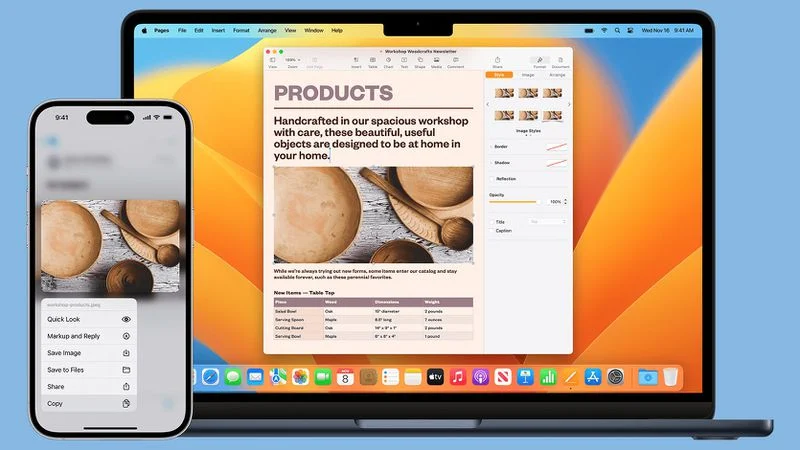
Apple is working on a new feature that will support cross-device copy and paste between iOS devices and Windows PCs.
Microsoft asked for the feature using Apple's EU interoperability request system for developers, which Apple implemented to comply with the Digital Markets Act. Apple began evaluating the request in March, and on June 26, proposed a project plan.
Microsoft described how the feature would be used:
- Copy text or other supported content on their iPhone and paste it directly on their Windows PC, and vice versa.
- Perform common productivity workflows without needing to foreground an app or take explicit repeated actions to initiate a transfer.
- Experience clipboard synchronization as a lightweight, continuous capability rather than a manual, app-driven operation.
Apple proposed a solution that would let an iPhone share and import items from the pasteboard to a paired accessory, like a Windows PC. Apple plans to use a solution similar to the Accessory Notifications option it added for third-party wearables in the EU in iOS 26.5. Users would need to give a paired device one-time permission to paste content from an iPhone.
●To adopt this solution, you will need to adopt AccessorySetupKit in order for the user to consent to the necessary permissions allowing the pasteboard to be shared with your accessory. This solution will require the user to perform a one-time consent to sharing the pasteboard with each paired accessory that will receive this functionality.
Right now, an app can only read an iPhone's clipboard if the app is actively running in the foreground and the user grants clipboard access with each copy/paste action. For its own devices, Apple has a Universal Clipboard feature with cross-device copy and paste between iOS and macOS.
Microsoft complained that the clipboard restrictions imposed on apps prevent the continuous synchronization of clipboard content from an iPhone to a PC or other connected device in the background.
Apple says introducing cross-device copy and paste is a significant engineering effort, with work expected to be complete by fall 2027. It will be shipped first in a developer beta for testing ahead of a public release. If the feature is added toward the end of fall 2027, it could be early 2028 before the public gets access.
It is likely that cross-device copy and paste will be limited to iPhone and Windows users in the European Union, though it is possible Apple could implement it worldwide.
Apple has brought some features it was required to support under the DMA to all countries, like eSIM transfers from iPhone to Android and simpler data transfers when switching between Android devices and iPhones. Other features, like AirPods-style pairing and notification forwarding for third-party wearables, have only rolled out in the EU.
Source: Macrumors










