
NEWS

What to Expect From Apple Watch Series 12 and Apple Watch Ultra 4

07/27/2026

103

Bloomberg's Mark Gurman today outlined what to expect from the Apple Watch Series 12 and Apple Watch Ultra 4 this year. Spoiler: not very much.
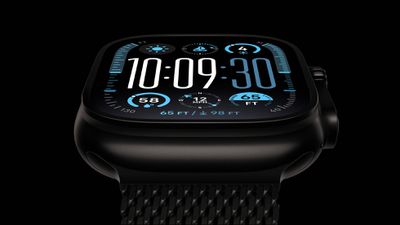
What to Expect From Apple Watch Series 12 and Apple Watch Ultra 4
While it was rumored that Touch ID may be coming to the Apple Watch Series 12, Gurman said he does not expect the Series 12 or Ultra 4 to have any major design changes compared to the current Series 11 and Ultra 3 models. Touch ID probably counts as a major design change, so the rumor now sounds increasingly unlikely.

Another sketchy rumor claimed that the Series 12 will have a band with an embedded health sensor, but Gurman did not mention that.

Instead, he expects more ordinary changes, including faster performance and unspecified improvements to health and fitness tracking. The Series 11 and Ultra 3 both have an S10 chip that debuted in the Series 10 and Ultra 2, so the S11 chip or newer should provide the first Apple Watch performance improvements in years.

There will not be an Apple Watch SE 4 this year, he said.

Bigger changes are in the works for the Apple Watch, but he said they are unlikely to arrive for another year or two. Even further ahead, he added that Apple continues to develop a blood sugar detection feature with a goal of releasing it by 2030.

Source: Macrumors

Windows
Mac OS
iOS
Linux
3uTools
Win 64-bit For this device
V9.07 2026-07-17
Download
Win 32-bit For this device
V9.07 2026-07-17
Download
3uTools
Intel Chip How to Identify Chip Type
V9.05 2026-07-25
Download
Apple Silicon
V9.05 2026-07-25
Download
How to Identify Chip Type
1.  Click the Apple icon in the top-left corner of the screen and select About This Mac.
2.  Check the Processor or Chip field to determine if it is "Intel" or "Apple".
Please use the 3uTools PC client to install the iOS client:
1、 Install either the Windows or Mac version of 3uTools on your computer
2、 Open the PC client and connect your device to the computer via USB cable
3、 After the connection is successful, wait for the computer to automatically install the mobile app for the device, or locate “Install Mobile App” on the computer and manually click to install.
3uTools
deb file
V9.01 2026-05-28
Download
rpm file
V9.01 2026-05-28
Download
Windows
Windows
iOS
iOS
Android
Android
TV
TV
3uAirPlayer
Win 64-bit For this device
V6.0.6 2026-06-26
Download
Win 32-bit For this device
V6.0.6 2026-06-26
Download
iOS Device Mirroring (No App Required)
1、 Install 3uAirPlayer on the Windows PC
2、 Open Control Center and select Screen Mirroring
3、 From the list, choose your PC to start mirroring
4、 Or connect your iOS device to the PC via USB to begin mirroring
Scan to get "3uAirPlayer" App
3uAirPlayerTV
 
TV System Requirements: Android 7.0 or later
Download the TV installation package, copy it to a USB drive, insert it into your TV or set-top box, then select the file from the home screen to install.




