
NEWS

'Apple Upgrade' Program Launching on Tuesday

Just now

13

In his newsletter today, Bloomberg's Mark Gurman reiterated that a new "Apple Upgrade" program is set to launch in the U.S. on Tuesday, July 28. Apple will stop accepting iPhone Upgrade Program sign-ups on the same day, but he said customers who are already enrolled will be able to remain in the program "for the time being."
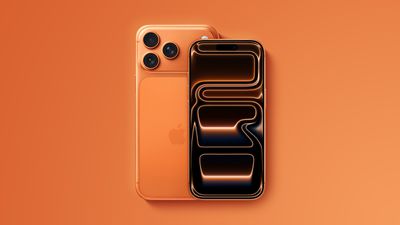
'Apple Upgrade' Program Launching on Tuesday
Apple is partnering with buy-now, pay-later company Klarna on the program, he said.

The program will allow you to lease most iPhone, iPad, Mac, and Apple Watch models, with a 24-month term for iPhones and Apple Watches and a 36-month term for iPads and Macs. Customers will have various options, including returning their device after the term, upgrading to a newer device, paying a fee to keep the device, and so forth.

Some lower-priced devices, including the Apple Watch SE, the entry-level iPad, the iPhone 16, and the MacBook Neo, will not be eligible, he said.

Unlike the iPhone Upgrade Program, Apple Upgrade plans will apparently not include AppleCare+ coverage bundled into the monthly price.

Apple plans to advertise the program as a way to have lower monthly payments compared to current financing programs, according to the report, so it sounds like Apple Upgrade will be focused on leasing rather than traditional financing, and it will apparently replace the iPhone Upgrade Program for new purchases going forward.

Source: Macrumors

Windows
Mac OS
iOS
Linux
3uTools
Win 64-bit For this device
V9.07 2026-07-17
Download
Win 32-bit For this device
V9.07 2026-07-17
Download
3uTools
Intel Chip How to Identify Chip Type
V9.05 2026-07-25
Download
Apple Silicon
V9.05 2026-07-25
Download
How to Identify Chip Type
1.  Click the Apple icon in the top-left corner of the screen and select About This Mac.
2.  Check the Processor or Chip field to determine if it is "Intel" or "Apple".
Please use the 3uTools PC client to install the iOS client:
1、 Install either the Windows or Mac version of 3uTools on your computer
2、 Open the PC client and connect your device to the computer via USB cable
3、 After the connection is successful, wait for the computer to automatically install the mobile app for the device, or locate “Install Mobile App” on the computer and manually click to install.
3uTools
deb file
V9.01 2026-05-28
Download
rpm file
V9.01 2026-05-28
Download
Windows
Windows
iOS
iOS
Android
Android
TV
TV
3uAirPlayer
Win 64-bit For this device
V6.0.6 2026-06-26
Download
Win 32-bit For this device
V6.0.6 2026-06-26
Download
iOS Device Mirroring (No App Required)
1、 Install 3uAirPlayer on the Windows PC
2、 Open Control Center and select Screen Mirroring
3、 From the list, choose your PC to start mirroring
4、 Or connect your iOS device to the PC via USB to begin mirroring
Scan to get "3uAirPlayer" App
3uAirPlayerTV
 
TV System Requirements: Android 7.0 or later
Download the TV installation package, copy it to a USB drive, insert it into your TV or set-top box, then select the file from the home screen to install.




