 NEWS
NEWS
iPhone Driver's Licenses May Soon Expand to New State
 07/24/2026
 579
579
Driver's licenses and IDs may soon be available in Apple Wallet for iPhone and Apple Watch users who live in Utah. MacRumors discovered signs of a Utah ID in Apple's backend, suggesting Apple is moving forward on implementing support.
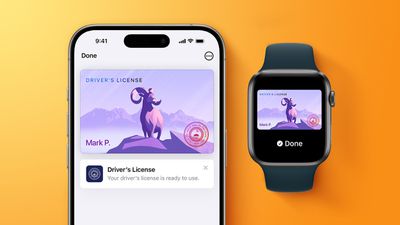
Utah already offers a mobile driver's license option through a standalone app, but there is no Apple Wallet integration. Utah's mobile driver's license FAQ page still says that it is still in the initial planning process of adding Utah IDs to Apple Wallet, but it may not be up to date.
The site also says that when Apple Wallet integration launches, iPhone users who already use the mobile app for their Utah ID will be able to download it to Apple Wallet.
Apple announced plans to add Utah driver's licenses and IDs to the Apple Wallet app way back in 2021, but no integration has materialized. Utah was one of the first states Apple mentioned when rolling out the feature.
Other states planning to add support for driver's licenses in Apple Wallet include Connecticut, Kentucky, Mississippi, Oklahoma, and Virginia.
Multiple states have already implemented support, as has Puerto Rico.
- Arkansas
- Arizona
- California
- Colorado
- Georgia
- Hawaii
- Illinois
- Iowa
- Maryland
- Montana
- New Mexico
- North Dakota
- Ohio
- West Virginia
Digital IDs and licenses are accepted at select TSA checkpoints across the United States. It can also be used at some business venues and in select apps that require ID verification for services or purchases.
In states that do not support licenses in the Wallet app, iPhone users can add their U.S. passport to the Apple Wallet app with the iOS 26 Digital ID feature.
Source: Macrumors










