NEWS

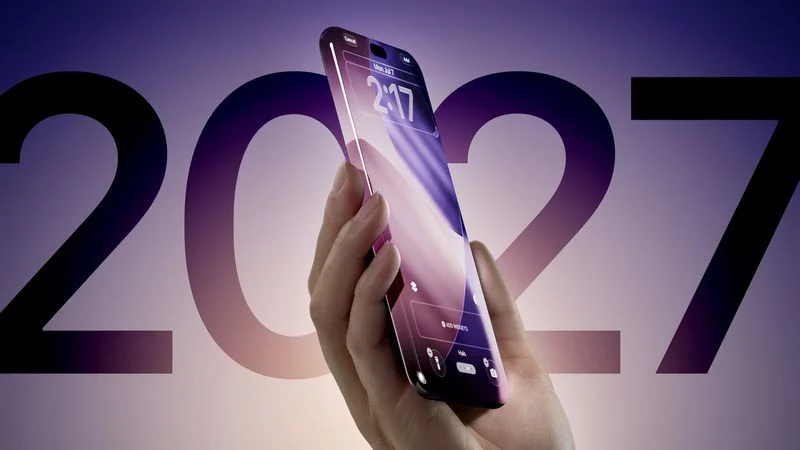
Apple Testing 7-Inch Display for Largest 20th Anniversary iPhone Model

Just now

14

 Apple Testing 7-Inch Display for Largest 20th Anniversary iPhone Model


Apple is reportedly prototyping a larger iPhone display measuring roughly 6.96 inches, which would likely be marketed as a 7-inch panel if it reaches production.


According to Chinese leaker Digital Chat Station, Apple is testing the display internally in preparation for the 20th anniversary iPhone, which is expected to launch next year. The leaker said that the screen ratio is the same as the current iPhone 17 Pro Max, but whether the display is ultimately used in the iPhone 20 Pro Max remains unconfirmed at this stage.


Last month, Bloomberg reported that Apple had started ramping up work on two sizes of the 20th anniversary iPhone. Multiple rumors have suggested the device will have an edge-to-edge display with curved glass at all sides for a nearly borderless visual effect.


This year's upcoming iPhone 18 Pro‌ and ‌iPhone 18 Pro‌ Max models are expected to be the same dimensions as the current iPhone 17 Pro models, which are available in 6.3- and 6.9-inch sizes.


Apple last increased the size of its premium iPhone displays with the iPhone 16 Pro lineup in 2024. The iPhone 16 Pro grew from 6.1 to 6.3 inches, while the iPhone 16 Pro Max increased from 6.7 to 6.9 inches, thanks to slimmer bezels and slightly larger chassis dimensions.


Today's rumor is the first time that we have heard of any plans to increase the display size for Apple's 2027 commemorative iPhone.


Source: Macrumors

Windows
Mac OS
iOS
Linux
3uTools
Win 64-bit For this device
V9.07 2026-07-17
Download
Win 32-bit For this device
V9.07 2026-07-17
Download
3uTools
Intel Chip How to Identify Chip Type
V9.03 2026-03-27
Download
Apple Silicon
V9.03 2026-03-27
Download
How to Identify Chip Type
1.  Click the Apple icon in the top-left corner of the screen and select About This Mac.
2.  Check the Processor or Chip field to determine if it is "Intel" or "Apple".
Please use the 3uTools PC client to install the iOS client:
1、 Install either the Windows or Mac version of 3uTools on your computer
2、 Open the PC client and connect your device to the computer via USB cable
3、 After the connection is successful, wait for the computer to automatically install the mobile app for the device, or locate “Install Mobile App” on the computer and manually click to install.
3uTools
deb file
V9.01 2026-05-28
Download
rpm file
V9.01 2026-05-28
Download
Windows
Windows
iOS
iOS
Android
Android
TV
TV
3uAirPlayer
Win 64-bit For this device
V6.0.6 2026-06-26
Download
Win 32-bit For this device
V6.0.6 2026-06-26
Download
iOS Device Mirroring (No App Required)
1、 Install 3uAirPlayer on the Windows PC
2、 Open Control Center and select Screen Mirroring
3、 From the list, choose your PC to start mirroring
4、 Or connect your iOS device to the PC via USB to begin mirroring
Scan to get "3uAirPlayer" App
3uAirPlayerTV
 
TV System Requirements: Android 7.0 or later
Download the TV installation package, copy it to a USB drive, insert it into your TV or set-top box, then select the file from the home screen to install.