 NEWS
NEWS
iPhone 18 With 9GB RAM Still Won't Support Two New iOS 27 Features
 07/06/2026
 1220
1220
The lower-end iPhone 18 and iPhone 18e will be equipped with 9GB of RAM, up from 8GB in the iPhone 17 and iPhone 17e, according to supply chain analyst Ming-Chi Kuo.
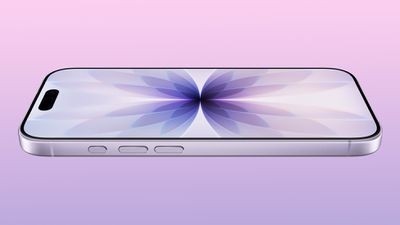
In a social media post, Kuo said the 1GB increase in RAM will ensure that Apple Intelligence features continue to run smoothly on the pair of devices.
The higher-end iPhone 18 Pro, iPhone 18 Pro Max, and foldable "iPhone Ultra" will each have the same 12GB of RAM as the iPhone 17 Pro models, added Kuo.
Apple is expected to release the iPhone 18 Pro, iPhone 18 Pro Max, and the iPhone Ultra in September this year, while the iPhone 18, iPhone 18e, and a second-generation iPhone Air will reportedly be released around March 2027.
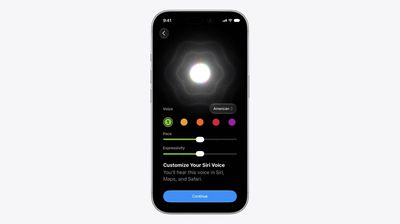
Even with an increased 9GB of RAM, two new Apple Intelligence features coming with iOS 27 will not be available on the iPhone 18 and iPhone 18e, including the ability to customize the expressiveness and pace of Siri's voice and a "major boost in accuracy" for speech-to-text dictation. This is because the latest advanced on-device Apple Intelligence model powering those two features requires a minimum of 12GB of RAM.
Here are the confirmed RAM amounts for the iPhone 17 series:
- iPhone 17e: 8GB
- iPhone 17: 8GB
- iPhone 17 Pro: 12GB
- iPhone 17 Pro Max: 12GB
The rumored RAM amounts for the iPhone 18 series and iPhone Ultra:
- iPhone 18e: 9GB
- iPhone 18: 9GB
- iPhone 18 Pro: 12GB
- iPhone 18 Pro Max: 12GB
- iPhone Ultra: 12GB
The second-generation iPhone Air will presumably have 12GB of RAM, too.
RAM and NAND storage chips are currently expensive due to a supply shortage, resulting in Apple raising prices on more than a dozen products last month. For now, iPhones avoided price increases, but analysts have estimated that the iPhone 18 and iPhone 18e could cost $100 to $200 more than the iPhone 17 and iPhone 17e.
Source: Macrumors










