NEWS

Under-Screen Face ID Allegedly Pushed Back to 2026 iPhone 18 Pro

05/06/2024

2128

Under-Screen Face ID Allegedly Pushed Back to 2026 iPhone 18 Pro


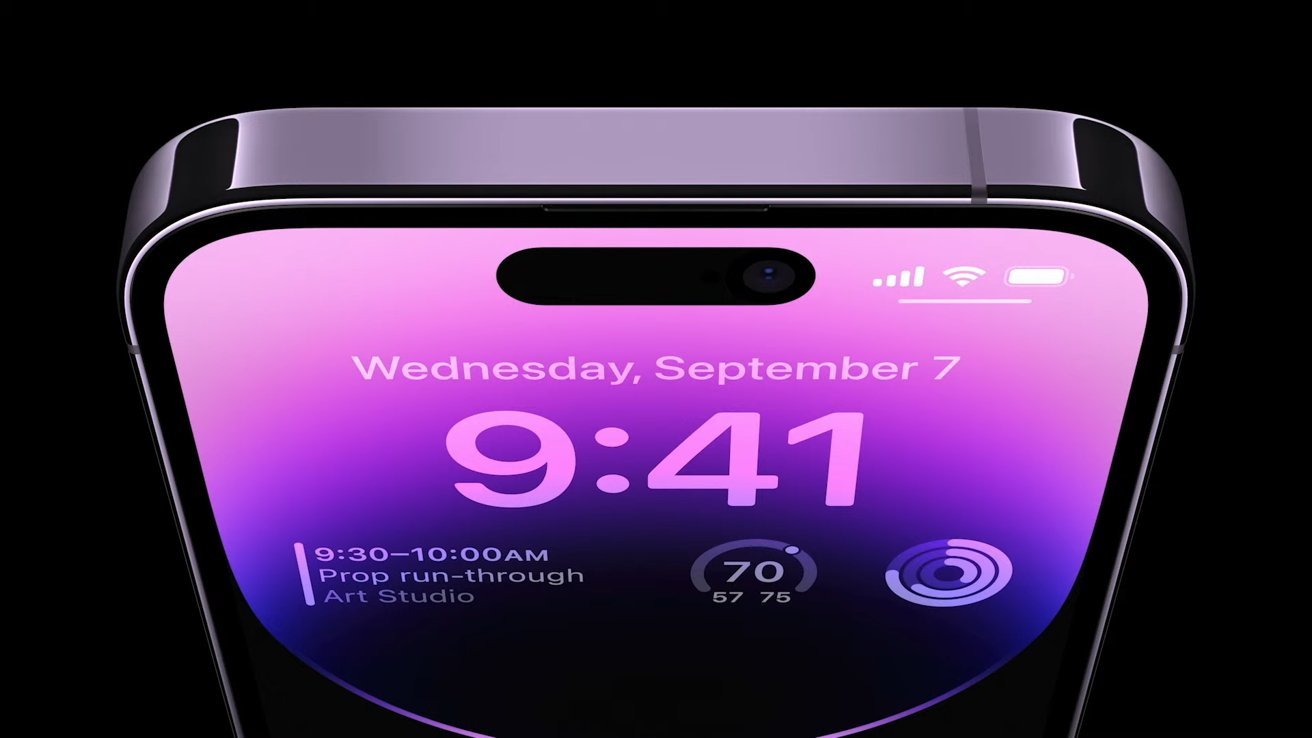
Under-screen Face ID always seems to be a year away, and the latest rumor now pins it to the 2026 iPhone 18 Pro and iPhone 18 Pro Max models.


Writing on X/Twitter in April, Display Supply Consultants' Ross Young's original roadmap claimed that an under-screen Face ID iPhone 17 Pro and iPhone 17 Pro Max would replace the existing camera notch with only pinhole front-facing cameras.


However, Young has tweaked that a bit. He says he has heard that under-screen Face ID is being pushed back a year to 2026.


If his revised prediction is correct, the 2026 iPhone 18 Pro and iPhone 18 Pro Max will now be the first to replace the notch and use under-screen Face ID. Non-Pro models of the iPhone may not gain an under-screen Face ID feature until the iPhone 19, arriving in late 2027.


Young also predicted technical changes to the iPhone 17 range, including a move from low-temperature polysilicon (LTPS) to low-temperature polycrystalline oxide (LTPO) across all models in 2025. Since the iPhone 14 Pro, the LTPO display is what allows the Pro models to have an always-on display while preserving battery life.


Young sticks by his prediction that all models of the iPhone 17, expected in the fall of 2025, will use an LTPO backplane. This suggests the "always-on" feature will become standard across all models.


Source: AppleInsider

Windows
Mac OS
iOS
Linux
3uTools
Win 64-bit For this device
V9.0 2025-11-11
Download
Win 32-bit For this device
V9.0 2025-11-11
Download
3uTools
Intel Chip How to Identify Chip Type
V9.0 2025-12-02
Download
Apple Chip
V9.0 2025-12-02
Download
How to Identify Chip Type
1.  Click the Apple icon in the top-left corner of the screen and select About This Mac.
2.  Check the Processor or Chip field to determine if it is "Intel" or "Apple".
Please use the 3uTools PC client to install the iOS client:
1、 Install either the Windows or Mac version of 3uTools on your computer
2、 Open the PC client and connect your device to the computer via USB cable
3、 After the connection is successful, wait for the computer to automatically install the mobile app for the device, or locate “Install Mobile App” on the computer and manually click to install.
3uTools
deb file
V3.01 2025-11-20
Download
rpm file
V3.01 2025-11-20
Download
Windows
Windows
iOS
iOS
Android
Android
TV
TV
3uAirPlayer
Win 64-bit For this device
V6.0.2 2025-11-19
Download
Win 32-bit For this device
V6.0.2 2025-11-19
Download
iOS Device Mirroring (No App Required)
1、 Install 3uAirPlayer on the Windows PC
2、 Open Control Center and select Screen Mirroring
3、 From the list, choose your PC to start mirroring
4、 Or connect your iOS device to the PC via USB to begin mirroring
Scan to get "3uAirPlayer" App
3uAirPlayer TV V1.0.18
2025-11-28
TV System Requirements: Android 7.0 or later
Download the TV installation package, copy it to a USB drive, insert it into your TV or set-top box, then select the file from the home screen to install.