NEWS

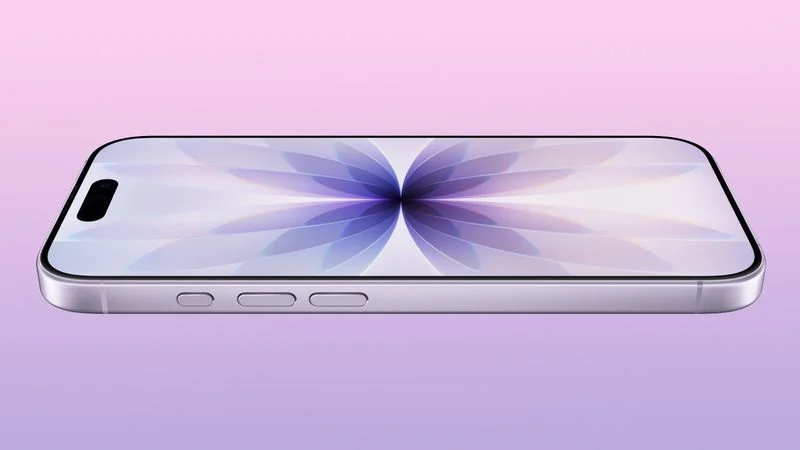
2027 iPhone 18 and iPhone 18e to Get 9GB RAM and A20 Chip

06/29/2026

29

 2027 iPhone 18 and iPhone 18e to Get 9GB RAM and A20 Chip


The lower-end iPhone 18 models set to launch in spring 2027 will feature 9GB DRAM, up from 8GB, according to Apple analyst Ming-Chi Kuo.


Kuo says the A20 chip Apple plans to use for the devices will have 1.5GB x 6 dies for a total of 9GB RAM, instead of 2GB x 4 dies as the current lower-end iPhone 17 models use.


By lower-end iPhones, Kuo is likely referencing the ‌iPhone 18‌ and the iPhone 18e, both of which are rumored to be coming around March or April of 2027. Apple plans to introduce the iPhone 18 Pro, ‌iPhone 18 Pro‌ Max, and foldable iPhone this fall, and those devices are expected to feature 12GB RAM (1.5GB x 8 dies) like the current iPhone 17 Pro models.


Apple will add more RAM to the ‌iPhone 18‌ models to make sure the devices work well with AI workloads and are able to support all of the Apple Intelligence features coming in iOS 27.


Apple yesterday raised prices across its Mac and iPad lines, but ‌iPhone 17‌ pricing hasn't gone up. Apple will likely implement price hikes when the ‌iPhone 18 Pro‌ models come out, and since Apple raised the cost of even the low-end iPad and the MacBook Neo, the ‌iPhone 18‌ and iPhone 18e probably won't be exempt from an increase.


Source: Macrumors

Windows
Mac OS
iOS
Linux
3uTools
Win 64-bit For this device
V9.06 2026-04-09
Download
Win 32-bit For this device
V9.06 2026-04-09
Download
3uTools
Intel Chip How to Identify Chip Type
V9.03 2026-03-27
Download
Apple Silicon
V9.03 2026-03-27
Download
How to Identify Chip Type
1.  Click the Apple icon in the top-left corner of the screen and select About This Mac.
2.  Check the Processor or Chip field to determine if it is "Intel" or "Apple".
Please use the 3uTools PC client to install the iOS client:
1、 Install either the Windows or Mac version of 3uTools on your computer
2、 Open the PC client and connect your device to the computer via USB cable
3、 After the connection is successful, wait for the computer to automatically install the mobile app for the device, or locate “Install Mobile App” on the computer and manually click to install.
3uTools
deb file
V9.01 2026-05-28
Download
rpm file
V9.01 2026-05-28
Download
Windows
Windows
iOS
iOS
Android
Android
TV
TV
3uAirPlayer
Win 64-bit For this device
V6.0.5 2026-04-23
Download
Win 32-bit For this device
V6.0.5 2026-04-23
Download
iOS Device Mirroring (No App Required)
1、 Install 3uAirPlayer on the Windows PC
2、 Open Control Center and select Screen Mirroring
3、 From the list, choose your PC to start mirroring
4、 Or connect your iOS device to the PC via USB to begin mirroring
Scan to get "3uAirPlayer" App
3uAirPlayerTV
 
TV System Requirements: Android 7.0 or later
Download the TV installation package, copy it to a USB drive, insert it into your TV or set-top box, then select the file from the home screen to install.