NEWS

Apple Dropping AirPort Utility From the App Store With iOS 27

06/23/2026

17

Apple Dropping AirPort Utility From the App Store With iOS 27


Apple is planning to remove the AirPort Utility app from the App Store in the near future, according to the release notes for iOS 27 beta 2. The app is no longer fully supported in ‌iOS 27‌, and Apple warns that it is not guaranteed to work.


AirPort Utility will no longer be available for new downloads from the App Store. If you previously downloaded the app, you can still re-download it. When using AirPort Utility on iOS 27 and later, functionality is not guaranteed.


Users who have downloaded AirPort Utility in the past will be able to re-download it if needed.


Apple also plans to remove AirPort Utility from new installations of macOS, but users who already have it installed will continue to be able to use it after updating to new versions of macOS. As with ‌iOS 27‌, Apple says it isn't guaranteed to work in macOS Golden Gate.


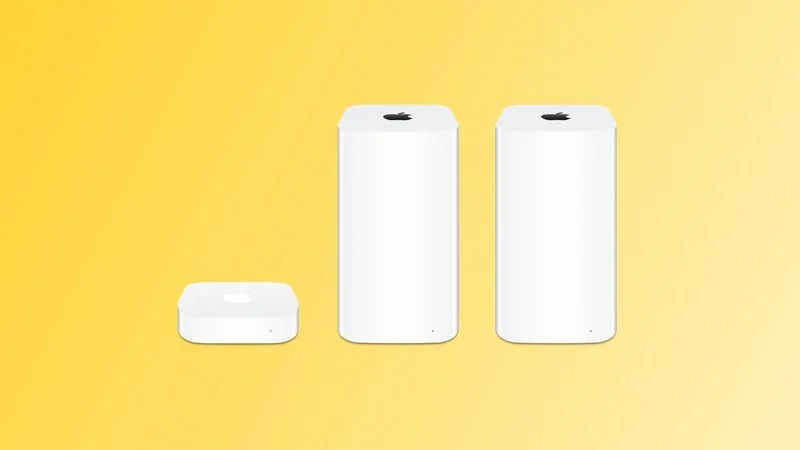
AirPort Utility lets users manage AirPort base stations like the AirPort Extreme, AirPort Express, and AirPort Time Capsule. Apple discontinued its AirPort routers back in 2018, but has continued to support them through the AirPort Utility app.


With ‌macOS Golden Gate‌, Apple is eliminating AFP support, which means the Time Machine feature on Macs will no longer work with the AirPort Time Capsule.


With Time Capsule support ending and Apple sunsetting the AirPort Utility app, it's clear Apple does not plan to continue offering updates to users who are still holding on to their AirPort devices.


Source: Macrumors

Windows
Mac OS
iOS
Linux
3uTools
Win 64-bit For this device
V9.06 2026-04-09
Download
Win 32-bit For this device
V9.06 2026-04-09
Download
3uTools
Intel Chip How to Identify Chip Type
V9.03 2026-03-27
Download
Apple Silicon
V9.03 2026-03-27
Download
How to Identify Chip Type
1.  Click the Apple icon in the top-left corner of the screen and select About This Mac.
2.  Check the Processor or Chip field to determine if it is "Intel" or "Apple".
Please use the 3uTools PC client to install the iOS client:
1、 Install either the Windows or Mac version of 3uTools on your computer
2、 Open the PC client and connect your device to the computer via USB cable
3、 After the connection is successful, wait for the computer to automatically install the mobile app for the device, or locate “Install Mobile App” on the computer and manually click to install.
3uTools
deb file
V9.01 2026-05-28
Download
rpm file
V9.01 2026-05-28
Download
Windows
Windows
iOS
iOS
Android
Android
TV
TV
3uAirPlayer
Win 64-bit For this device
V6.0.5 2026-04-23
Download
Win 32-bit For this device
V6.0.5 2026-04-23
Download
iOS Device Mirroring (No App Required)
1、 Install 3uAirPlayer on the Windows PC
2、 Open Control Center and select Screen Mirroring
3、 From the list, choose your PC to start mirroring
4、 Or connect your iOS device to the PC via USB to begin mirroring
Scan to get "3uAirPlayer" App
3uAirPlayer TV V1.0.18
2025-11-28
TV System Requirements: Android 7.0 or later
Download the TV installation package, copy it to a USB drive, insert it into your TV or set-top box, then select the file from the home screen to install.