
NEWS

iOS 27 Adds New Drawing Tool to Your iPhone's Messages App

06/15/2026

71

The upcoming iOS 27 and macOS 27 Golden Gate updates expand drawing tools to more of Apple's built-in apps across the iPhone and Mac.
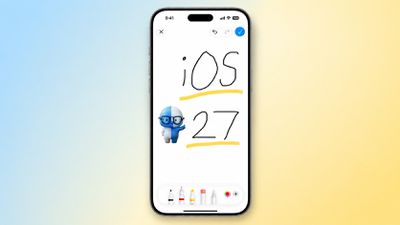
iOS 27 Adds New Drawing Tool to Your iPhone's Messages App
In the Messages app on iOS 27, there is a new "Drawing" option in the app drawer, which can be opened by tapping the plus sign in the bottom-left corner.

On older iOS versions, the Messages app once had a very basic drawing tool that was accessible by tapping a button on the keyboard in landscape orientation, but now Apple's complete set of Markup tools are available in the app.

On the Mac, macOS 27 adds the Markup tools to the Notes and Freeform apps.
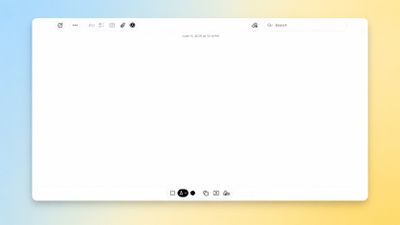
iOS 27 Adds New Drawing Tool to Your iPhone's Messages App
iOS 27 and macOS 27 are currently available in developer beta. The updates are expected to be released to the general public in September.

Source: Macrumors

Windows
Mac OS
iOS
Linux
3uTools
Win 64-bit For this device
V9.06 2026-04-09
Download
Win 32-bit For this device
V9.06 2026-04-09
Download
3uTools
Intel Chip How to Identify Chip Type
V9.03 2026-03-27
Download
Apple Silicon
V9.03 2026-03-27
Download
How to Identify Chip Type
1.  Click the Apple icon in the top-left corner of the screen and select About This Mac.
2.  Check the Processor or Chip field to determine if it is "Intel" or "Apple".
Please use the 3uTools PC client to install the iOS client:
1、 Install either the Windows or Mac version of 3uTools on your computer
2、 Open the PC client and connect your device to the computer via USB cable
3、 After the connection is successful, wait for the computer to automatically install the mobile app for the device, or locate “Install Mobile App” on the computer and manually click to install.
3uTools
deb file
V9.01 2026-05-28
Download
rpm file
V9.01 2026-05-28
Download
Windows
Windows
iOS
iOS
Android
Android
TV
TV
3uAirPlayer
Win 64-bit For this device
V6.0.5 2026-04-23
Download
Win 32-bit For this device
V6.0.5 2026-04-23
Download
iOS Device Mirroring (No App Required)
1、 Install 3uAirPlayer on the Windows PC
2、 Open Control Center and select Screen Mirroring
3、 From the list, choose your PC to start mirroring
4、 Or connect your iOS device to the PC via USB to begin mirroring
Scan to get "3uAirPlayer" App
3uAirPlayer TV V1.0.18
2025-11-28
TV System Requirements: Android 7.0 or later
Download the TV installation package, copy it to a USB drive, insert it into your TV or set-top box, then select the file from the home screen to install.




