NEWS

Apple Releases New Firmware for AirTag 2

05/28/2026

90

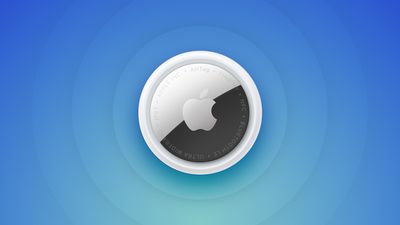
Apple today released new firmware for its second-generation AirTag item trackers. The firmware has a 3.0.49 version number, up from 3.0.45, and it is the second firmware update that Apple has provided for the ‌AirTag‌ 2.

Apple Releases New Firmware for AirTag 2
There is no word yet on what's included in the firmware, but ‌AirTag‌ firmware updates most often address bugs and make other under-the-hood improvements. Apple's prior firmware update tweaked the unwanted tracking sound to make it easier to find an unknown ‌AirTag‌ when using Precision Finding.

Apple will provide details on what's in the 3.0.49 firmware when it updates its firmware support page.

For the original ‌AirTag‌, firmware was distributed on a rolling basis over two weeks, but Apple appears to be pushing firmware updates to all ‌AirTag‌ 2 users at the same time.

You can check your AirTag firmware by opening the Find My app, going to the Items tab, selecting an ‌AirTag‌ in the list, and tapping on the ‌AirTag‌'s name to see its firmware version.

There is no way to force an ‌AirTag‌ update, and firmware is installed over the air via a connected iPhone. To get new firmware, make sure your ‌AirTag‌ is within range of your iPhone, and then wait for the firmware to roll out.

Source: Macrumors

Windows
Mac OS
iOS
Linux
3uTools
Win 64-bit For this device
V9.06 2026-04-09
Download
Win 32-bit For this device
V9.06 2026-04-09
Download
3uTools
Intel Chip How to Identify Chip Type
V9.03 2026-03-27
Download
Apple Silicon
V9.03 2026-03-27
Download
How to Identify Chip Type
1.  Click the Apple icon in the top-left corner of the screen and select About This Mac.
2.  Check the Processor or Chip field to determine if it is "Intel" or "Apple".
Please use the 3uTools PC client to install the iOS client:
1、 Install either the Windows or Mac version of 3uTools on your computer
2、 Open the PC client and connect your device to the computer via USB cable
3、 After the connection is successful, wait for the computer to automatically install the mobile app for the device, or locate “Install Mobile App” on the computer and manually click to install.
3uTools
deb file
V9.01 2026-05-28
Download
rpm file
V9.01 2026-05-28
Download
Windows
Windows
iOS
iOS
Android
Android
TV
TV
3uAirPlayer
Win 64-bit For this device
V6.0.5 2026-04-23
Download
Win 32-bit For this device
V6.0.5 2026-04-23
Download
iOS Device Mirroring (No App Required)
1、 Install 3uAirPlayer on the Windows PC
2、 Open Control Center and select Screen Mirroring
3、 From the list, choose your PC to start mirroring
4、 Or connect your iOS device to the PC via USB to begin mirroring
Scan to get "3uAirPlayer" App
3uAirPlayer TV V1.0.18
2025-11-28
TV System Requirements: Android 7.0 or later
Download the TV installation package, copy it to a USB drive, insert it into your TV or set-top box, then select the file from the home screen to install.