
NEWS

iPhone 8 New Concept Teased by Concept Creator, in Beautiful Red

03/06/2017

3319

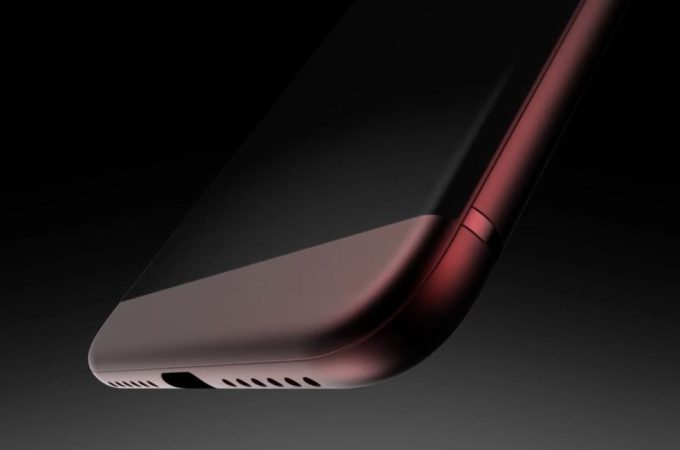
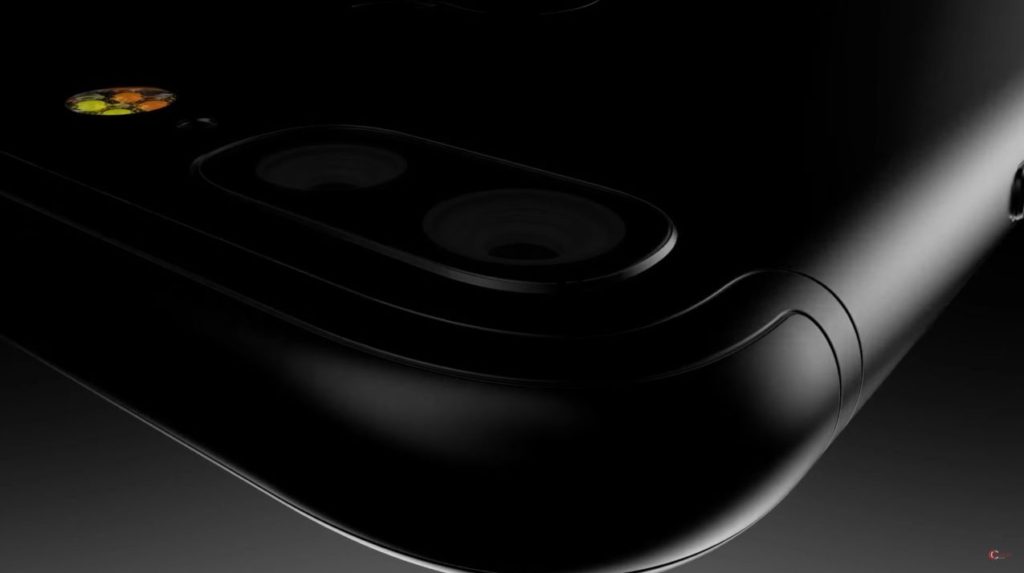
I've lost count of the many iPhone 8 concepts I've covered and I'm m pretty sure some of them will be better than the real thing. Today’s render comes from Concept Creator and it’s great even though it’s just in teaser phase and not yet finalized. Check out two teasers below.

iPhone 8 New Concept Teased by Concept Creator, in Beautiful Red


Rendered in pretty red, a candy red, that has a nice metallic gloss at the top, the device seems to have even curvier edges now. I’m guessing a curved OLED front panel is the way to go. The general format feels similar to what we saw on the previous iPhones, only this time the dual camera is flatter, the device is slimmer and at first maybe a bit longer.

iPhone 8 New Concept Teased by Concept Creator, in Beautiful Red


I can’t seem to spot any Home button, but there’s a bottom bezel, so I’m starting to wonder if we’ll get capacitive buttons below the screen or something like that. I wouldn’t be surprised if there’s also a glass back panel this time around. Can’t wait to see the device finalized!


Source: conceptiPhone

Windows
Mac OS
iOS
Linux
3uTools
Win 64-bit For this device
V9.0 2025-11-11
Download
Win 32-bit For this device
V9.0 2025-11-11
Download
3uTools
Intel Chip How to Identify Chip Type
V9.0 2025-12-02
Download
Apple Silicon
V9.0 2025-12-02
Download
How to Identify Chip Type
1.  Click the Apple icon in the top-left corner of the screen and select About This Mac.
2.  Check the Processor or Chip field to determine if it is "Intel" or "Apple".
Please use the 3uTools PC client to install the iOS client:
1、 Install either the Windows or Mac version of 3uTools on your computer
2、 Open the PC client and connect your device to the computer via USB cable
3、 After the connection is successful, wait for the computer to automatically install the mobile app for the device, or locate “Install Mobile App” on the computer and manually click to install.
3uTools
deb file
V3.01 2025-11-20
Download
rpm file
V3.01 2025-11-20
Download
Windows
Windows
iOS
iOS
Android
Android
TV
TV
3uAirPlayer
Win 64-bit For this device
V6.0.2 2025-11-19
Download
Win 32-bit For this device
V6.0.2 2025-11-19
Download
iOS Device Mirroring (No App Required)
1、 Install 3uAirPlayer on the Windows PC
2、 Open Control Center and select Screen Mirroring
3、 From the list, choose your PC to start mirroring
4、 Or connect your iOS device to the PC via USB to begin mirroring
Scan to get "3uAirPlayer" App
3uAirPlayer TV V1.0.18
2025-11-28
TV System Requirements: Android 7.0 or later
Download the TV installation package, copy it to a USB drive, insert it into your TV or set-top box, then select the file from the home screen to install.




