 NEWS
NEWS
Steve Jobs' Childhood Belongings, Early Apple Products Up for Auction to Mark Company's 50th Anniversary
 01/08/2026
 1508
1508
A collection of Steve Jobs' earliest Apple products and personal memorabilia are up for auction to mark the tech company's 50th anniversary.
RR Auction, the Boston-based auction house managing the sales, is now accepting bids on 191 items that include vintage Apple computers, original documents from the company's nascent days and a sizable group of Jobs' childhood belongings, including a set of bowties and Bob Dylan 8-track tapes. Sales opened Tuesday.
One of the auction's focal points is the inaugural check issued by Apple Computer, Inc., the company's original name, on March 16, 1976, according to RR Auction. Signed by Jobs and his Apple cofounder Steve Wozniak, the $500 Wells Fargo Bank note was written out to Howard Cantin, who designed the Apple-1 computer's printed circuit board. As the auction house notes, the check predates the company's official founding by 16 days.
"As the first financial instrument ever drawn on the Apple Computer Company's original account, it is the foundational document that financed the creation of Apple's very first product and brought forth the personal computing revolution," reads a description of the item on the RR Auction website.
The check gleaned the Apple anniversary auction's second-highest bid, $32,000, within 24 hours of its opening. But the auction house said it expects the final price will reach $500,000 or higher. The earliest prototype motherboard for the Apple-1 computer had pulled the highest bid, at $55,000, although the auction house estimated it would ultimately sell for at least half a million dollars.
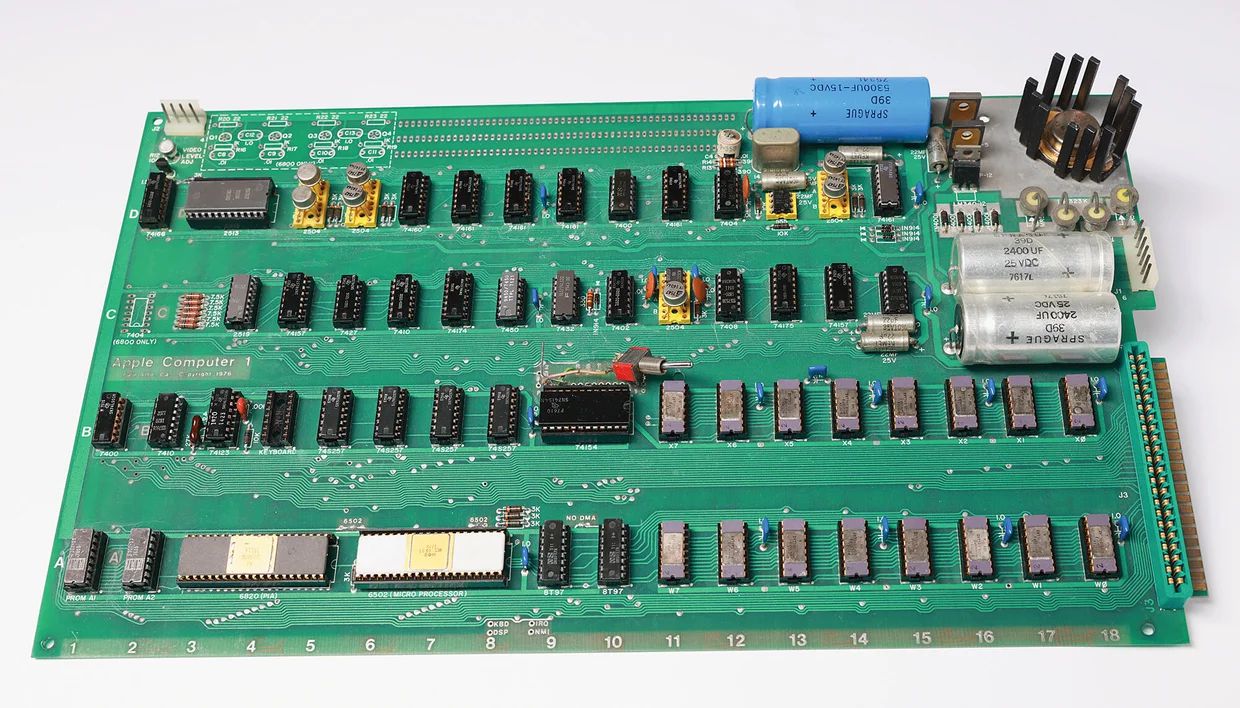
Those relics are accompanied by a range of Apple's earliest products, including a functional Lisa-1 computer, the retro desktop model that preceded the company's Macintosh era, and a first-generation iPhone, which was jailbroken by the teen hacker Geohot.
Jobs' childhood collection was given to RR Auction by his' stepbrother, John Chovanec, according to the auction house. In addition to his bowties and 8-tracks, the group of artifacts also features the wooden desk from Jobs' bedroom at the Los Altos, California, property now known as the site of the "Apple garage," where he and Wozniak assembled the brand's first computers in 1976.
With it are a number of other miscellaneous items that Jobs once owned, like a heat sink and ribbon cable for his personal Apple-1, a series of car repair manuals annotated by hand, and a brief message to his father written on an old Apple business card. There are also Apple marketing posters dating back to the 70s and 80s.
The auction is accepting bids through Jan. 29.
Source: cbsnews










