NEWS

Apple Launches Tap to Pay on iPhone in Hong Kong

Just now

12

Apple Launches Tap to Pay on iPhone in Hong Kong


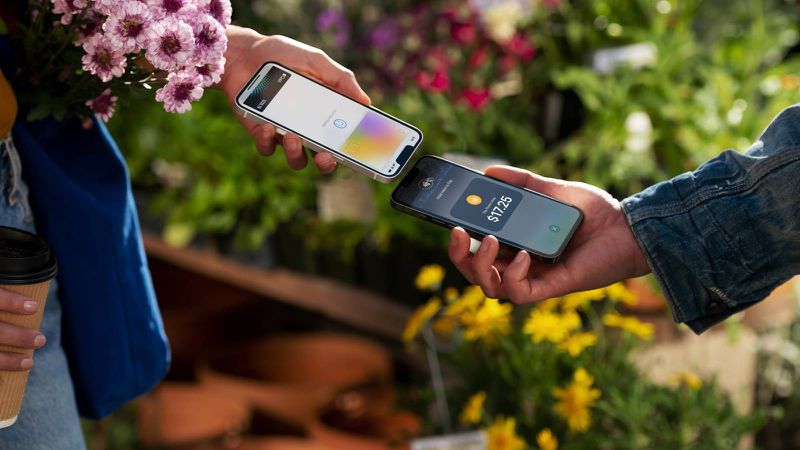
Apple has announced the availability of Tap to Pay on iPhone in Hong Kong, allowing independent sellers, small merchants, and large retailers in the region to use ‌iPhones‌ as a payment terminal.


Tap to Pay allows iPhones to accept payments via Apple Pay, contactless credit and debit cards, and other digital wallets‌‌‌. All transactions are encrypted, and Apple has no information about what is purchased or the person who made the purchase.


No additional hardware or credit card machine is required‌ to use Tap to Pay on iPhone. The feature uses NFC technology to securely authenticate the contactless payments, plus the feature also supports PIN entry, which includes accessibility options.


From today, Adyen, Global Payments, KPay, and SoéPay are the first payment platforms in Hong Kong to offer Tap to Pay on iPhone. Apple says the rollout cuts across key sectors, including taxi, retail, food and beverage, and professional services.


Tap to Pay on ‌iPhone‌ launched in February 2022 in the United States, and since then, Apple has expanded it to more than 50 countries and regions around the world.


Source: Macrumors

 

Windows
Mac OS
iOS
Linux
3uTools
Win 64-bit For this device
V9.0 2025-11-11
Download
Win 32-bit For this device
V9.0 2025-11-11
Download
3uTools
Intel Chip How to Identify Chip Type
V9.0 2025-12-02
Download
Apple Silicon
V9.0 2025-12-02
Download
How to Identify Chip Type
1.  Click the Apple icon in the top-left corner of the screen and select About This Mac.
2.  Check the Processor or Chip field to determine if it is "Intel" or "Apple".
Please use the 3uTools PC client to install the iOS client:
1、 Install either the Windows or Mac version of 3uTools on your computer
2、 Open the PC client and connect your device to the computer via USB cable
3、 After the connection is successful, wait for the computer to automatically install the mobile app for the device, or locate “Install Mobile App” on the computer and manually click to install.
3uTools
deb file
V3.01 2025-11-20
Download
rpm file
V3.01 2025-11-20
Download
Windows
Windows
iOS
iOS
Android
Android
TV
TV
3uAirPlayer
Win 64-bit For this device
V6.0.2 2025-11-19
Download
Win 32-bit For this device
V6.0.2 2025-11-19
Download
iOS Device Mirroring (No App Required)
1、 Install 3uAirPlayer on the Windows PC
2、 Open Control Center and select Screen Mirroring
3、 From the list, choose your PC to start mirroring
4、 Or connect your iOS device to the PC via USB to begin mirroring
Scan to get "3uAirPlayer" App
3uAirPlayer TV V1.0.18
2025-11-28
TV System Requirements: Android 7.0 or later
Download the TV installation package, copy it to a USB drive, insert it into your TV or set-top box, then select the file from the home screen to install.