 NEWS
NEWS
Apple Planning 'Ten Year Celebration' Activity Achievement for Apple Watch
 11/06/2024
 1379
1379
Apple appears to be planning an activity challenge to celebrate the 10th anniversary of the Apple Watch, which was released in 2015. In the latest iOS 18.2 beta, there's a mention of a "Ten Year Celebration" with references to an activity achievement, so it sounds like something is in the works.
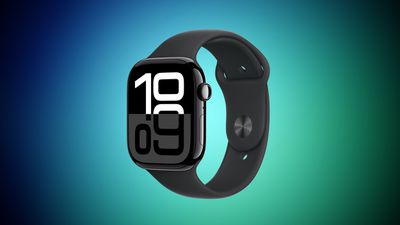
While the Apple Watch was introduced at Apple's September 2014 iPhone event, it was not released until April 2015. The delay between the device's introduction and its launch have raised questions about whether the Apple Watch 10th anniversary is in 2024 or 2025.
Apple celebrated the 10th anniversary of the iPhone with the launch of the iPhone X in 2017, and this year, the company highlighted the 10th anniversary of Apple Pay. Apple does see 10th anniversaries as notable, so we can expect something for the Apple Watch.
Back in 2023, Bloomberg's Mark Gurman claimed that Apple was planning a complete revamp of the Apple Watch for its 10th anniversary, complete with a magnetic band attachment system and a slimmer design. In September 2024, the Apple Watch did get a design update with larger displays and a thinner chassis, but the device was not branded the "Apple Watch X" as Gurman said it would be, nor did it have a new band attachment system.
It is possible that those updates that Gurman talked about in 2023 will actually come in 2025 as part of an anniversary celebration for the device, but it is unclear because the slimmed down look that Gurman mentioned has already been implemented.
Next year will also mark the 10th anniversary of the Apple Music streaming service, which came out in June 2015. Apple could also have something planned for that anniversary.
Source: Macrumors










