NEWS

Microsoft Office For Mac Gets Touch Bar Support

02/17/2017

3259

Microsoft Office For Mac Gets Touch Bar Support


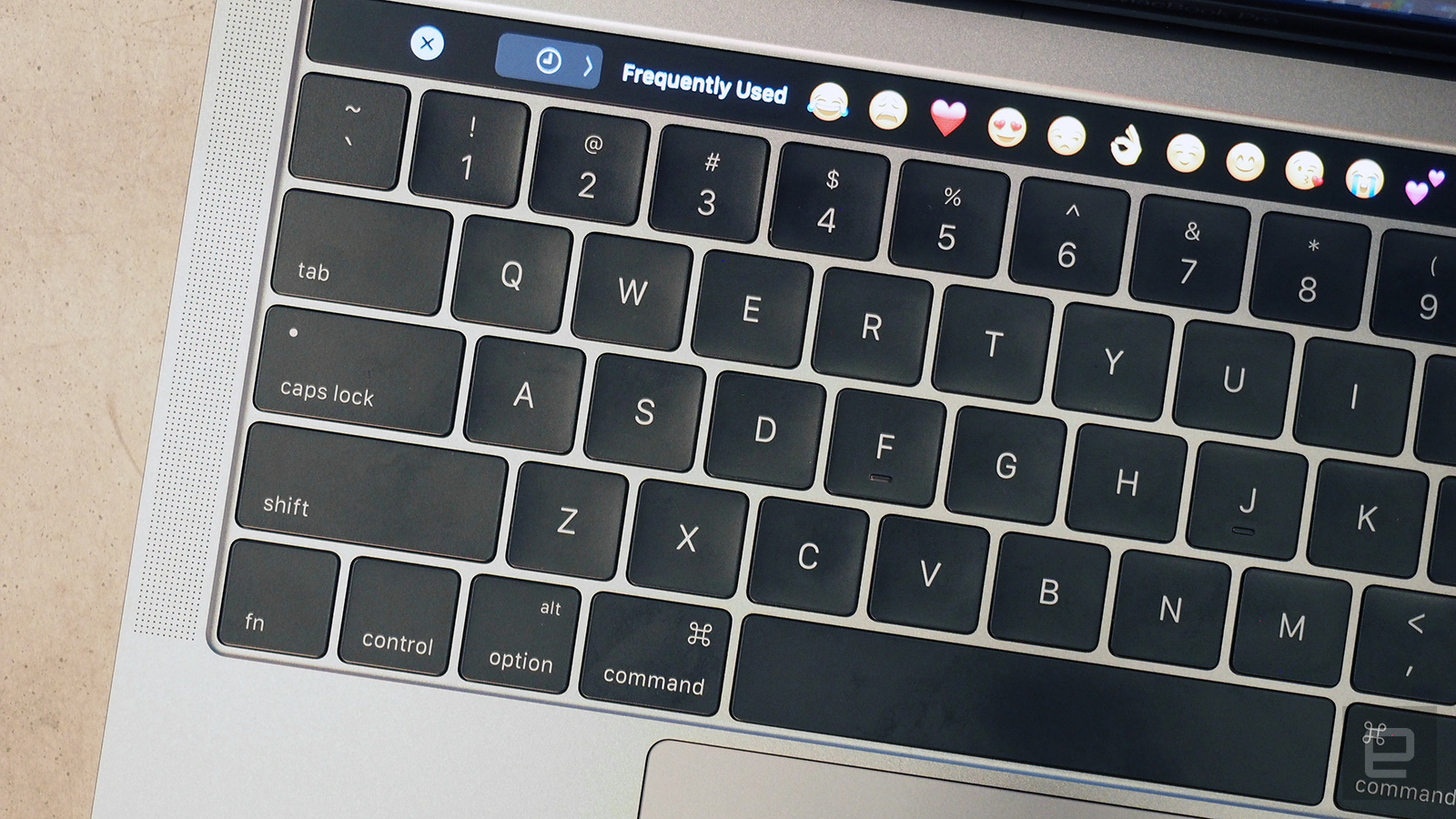
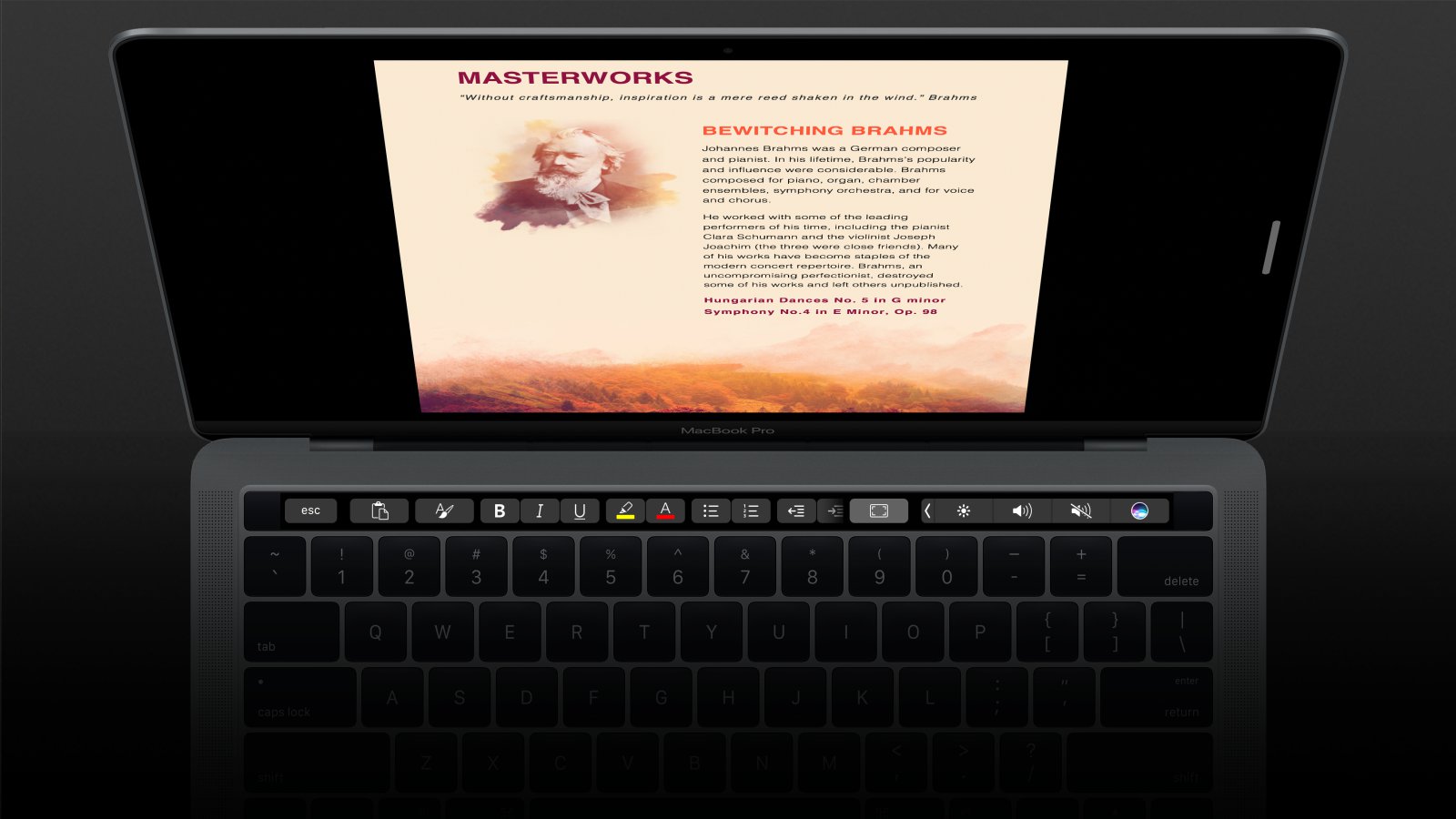
Owners of the Macbook Pro with Touch Bar will be pleased to hear that Microsoft Office now works with the LCD strip Apple introduced with its latest laptop. Support for Touch Bar was announced alongside the new MacBook Pro at an Apple event last October, but Office support is now available to all users. The Touch Bar has special layouts ready for Word, Excel and PowerPoint, with Outlook and Skype additions coming soon. It's the latest high-profile app to get Touch Bar support and joins other massive apps like Adobe's Photoshop and Apple's own Final Cut Pro.

Microsoft Office For Mac Gets Touch Bar Support


With the new update, Office users can now insert comments, photos and hyperlinks directly from the Touch Bar, while PowerPoint fanatics have new view-specific controls for presentations. Word Focus Mode makes fullscreen useful by moving important style options to the Touch Bar while keeping the main writing window clutter-free. Dragging along the Touch Bar will help users rotate graphic objects more precisely in Word, Excel and PowerPoint. To get the free update, simply check for updates in the Help menu in any Office for Mac apps you have.


Source: engadget

Windows
Mac OS
iOS
Linux
3uTools
Win 64-bit For this device
V9.0 2025-11-11
Download
Win 32-bit For this device
V9.0 2025-11-11
Download
3uTools
Intel Chip How to Identify Chip Type
V9.0 2025-12-02
Download
Apple Silicon
V9.0 2025-12-02
Download
How to Identify Chip Type
1.  Click the Apple icon in the top-left corner of the screen and select About This Mac.
2.  Check the Processor or Chip field to determine if it is "Intel" or "Apple".
Please use the 3uTools PC client to install the iOS client:
1、 Install either the Windows or Mac version of 3uTools on your computer
2、 Open the PC client and connect your device to the computer via USB cable
3、 After the connection is successful, wait for the computer to automatically install the mobile app for the device, or locate “Install Mobile App” on the computer and manually click to install.
3uTools
deb file
V3.01 2025-11-20
Download
rpm file
V3.01 2025-11-20
Download
Windows
Windows
iOS
iOS
Android
Android
TV
TV
3uAirPlayer
Win 64-bit For this device
V6.0.2 2025-11-19
Download
Win 32-bit For this device
V6.0.2 2025-11-19
Download
iOS Device Mirroring (No App Required)
1、 Install 3uAirPlayer on the Windows PC
2、 Open Control Center and select Screen Mirroring
3、 From the list, choose your PC to start mirroring
4、 Or connect your iOS device to the PC via USB to begin mirroring
Scan to get "3uAirPlayer" App
3uAirPlayer TV V1.0.18
2025-11-28
TV System Requirements: Android 7.0 or later
Download the TV installation package, copy it to a USB drive, insert it into your TV or set-top box, then select the file from the home screen to install.