
NEWS

Apple's WWDC 2017 Will Return To San Jose In June

02/17/2017

3020

Apple's annual Worldwide Developers Conference (WWDC) is coming to San Jose's McEnery Convention Center in June, located within walking distance of the tech giant's new spaceship headquarters.


WWDC 2017 starts on June 5 and runs until June 9. The conference invites developers to help create software and apps across iPhone, iPad, Apple Watch, Apple TV and Mac.
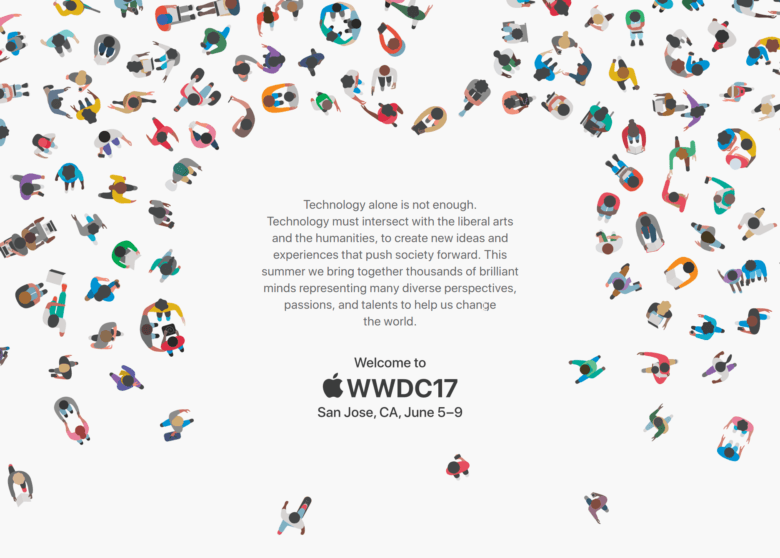

Apple's WWDC 2017 Will Return To San Jose In June


In addition to the keynote address, sessions and labs for developers, Apple said it is working with San Jose and local businesses to celebrate the return of WWDC with special events throughout the city during the week.


Tickets will be available from Spring, although Apple has not released an exact date. The conference will also be live-streamed through the Apple Developer website and on the WWDC app for iPhone, iPad and Apple TV.


The event, which last year took place in San Francisco, is typically used to unveil Apple's latest software updates. In 2016 this included a new version of iOS, iOS 10, a revamped MacOS which added Siri to the desktop, Apple Pay for web, Watch OS 3, and Apple tvOS.


Source: wired


Windows
Mac OS
iOS
Linux
3uTools
Win 64-bit For this device
V9.0 2025-11-11
Download
Win 32-bit For this device
V9.0 2025-11-11
Download
3uTools
Intel Chip How to Identify Chip Type
V9.0 2025-12-02
Download
Apple Silicon
V9.0 2025-12-02
Download
How to Identify Chip Type
1.  Click the Apple icon in the top-left corner of the screen and select About This Mac.
2.  Check the Processor or Chip field to determine if it is "Intel" or "Apple".
Please use the 3uTools PC client to install the iOS client:
1、 Install either the Windows or Mac version of 3uTools on your computer
2、 Open the PC client and connect your device to the computer via USB cable
3、 After the connection is successful, wait for the computer to automatically install the mobile app for the device, or locate “Install Mobile App” on the computer and manually click to install.
3uTools
deb file
V3.01 2025-11-20
Download
rpm file
V3.01 2025-11-20
Download
Windows
Windows
iOS
iOS
Android
Android
TV
TV
3uAirPlayer
Win 64-bit For this device
V6.0.2 2025-11-19
Download
Win 32-bit For this device
V6.0.2 2025-11-19
Download
iOS Device Mirroring (No App Required)
1、 Install 3uAirPlayer on the Windows PC
2、 Open Control Center and select Screen Mirroring
3、 From the list, choose your PC to start mirroring
4、 Or connect your iOS device to the PC via USB to begin mirroring
Scan to get "3uAirPlayer" App
3uAirPlayer TV V1.0.18
2025-11-28
TV System Requirements: Android 7.0 or later
Download the TV installation package, copy it to a USB drive, insert it into your TV or set-top box, then select the file from the home screen to install.




