
NEWS

Apple Wants To Use Lasers To Polish Future Ceramic iPhones

02/05/2017

3342

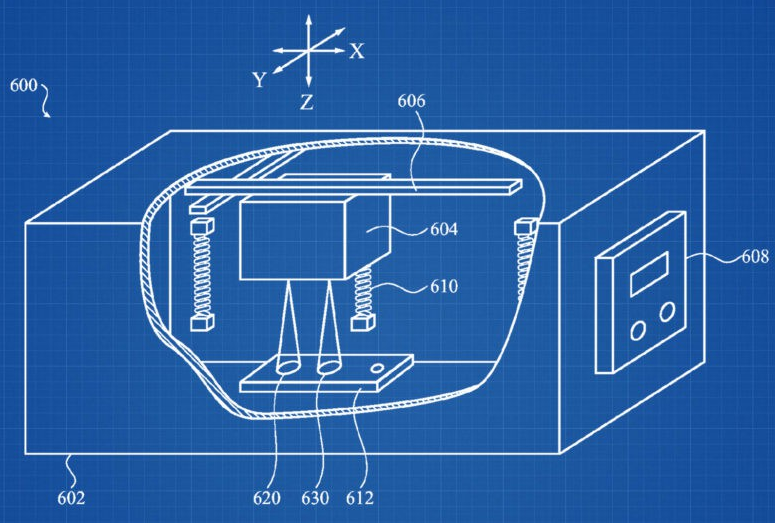
Apple has invented a method for carrying out a “laser polishing” technique which could be used to help create future ceramic iPhones.


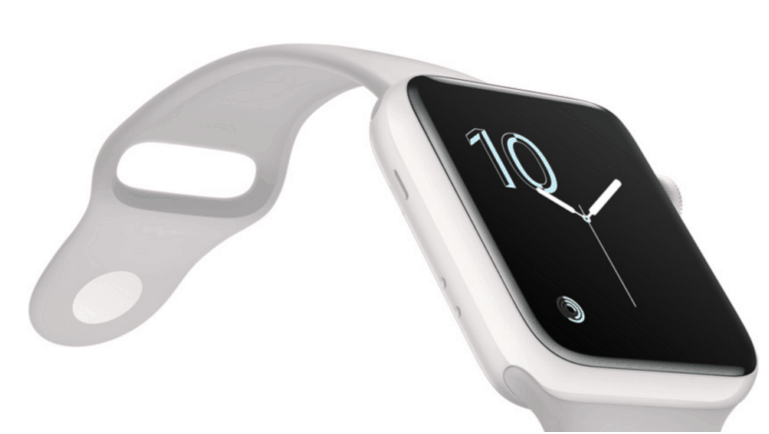
The company’s patent application covers an industrial process designed “for polishing a ceramic component using a laser.” The technique could be used to “produce a polished surface” on a wide range of materials, ranging from the white ceramic used for high-end Apple Watch Series 2 models to glass materials, like the reported casing being used for this year’s iPhone 8.

Apple Wants To Use Lasers To Polish Future Ceramic iPhones


There are multiple reasons Apple may choose to embrace these materials. In the case of the glass enclosure for the iPhone 8, it is reported that it may be related to Apple’s wireless charging technology, which is expected to be a big selling point of this year’s iPhone refresh.


With ceramic materials like the high-end ceramic Apple Watch Edition replacement it offers almost unparalleled hardness, making devices impervious to scuffs and scratches. As my colleague Killian Bell noted in an article on why a ceramic iPhone would be good, zirconia ceramic — which is what Apple uses for the new Watch Edition — is rated 8.5 on the Mohs scale of mineral hardness. In comparison, steel is rated 4.5, while aluminum is rated just 2.5 to 3.

Apple Wants To Use Lasers To Polish Future Ceramic iPhones


As with any patent, of course, there’s no guarantee any of this actually comes to pass. Still, it’s exciting to see that Apple is — as ever — remaining on the cutting edge of industrial processes.


Source: cultofmac

Windows
Mac OS
iOS
Linux
3uTools
Win 64-bit For this device
V9.0 2025-11-11
Download
Win 32-bit For this device
V9.0 2025-11-11
Download
3uTools
Intel Chip How to Identify Chip Type
V9.0 2025-12-02
Download
Apple Chip
V9.0 2025-12-02
Download
How to Identify Chip Type
1.  Click the Apple icon in the top-left corner of the screen and select About This Mac.
2.  Check the Processor or Chip field to determine if it is "Intel" or "Apple".
Please use the 3uTools PC client to install the iOS client:
1、 Install either the Windows or Mac version of 3uTools on your computer
2、 Open the PC client and connect your device to the computer via USB cable
3、 After the connection is successful, wait for the computer to automatically install the mobile app for the device, or locate “Install Mobile App” on the computer and manually click to install.
3uTools
deb file
V3.01 2025-11-20
Download
rpm file
V3.01 2025-11-20
Download
Windows
Windows
iOS
iOS
Android
Android
TV
TV
3uAirPlayer
Win 64-bit For this device
V6.0.2 2025-11-19
Download
Win 32-bit For this device
V6.0.2 2025-11-19
Download
iOS Device Mirroring (No App Required)
1、 Install 3uAirPlayer on the Windows PC
2、 Open Control Center and select Screen Mirroring
3、 From the list, choose your PC to start mirroring
4、 Or connect your iOS device to the PC via USB to begin mirroring
Scan to get "3uAirPlayer" App
3uAirPlayer TV V1.0.18
2025-11-28
TV System Requirements: Android 7.0 or later
Download the TV installation package, copy it to a USB drive, insert it into your TV or set-top box, then select the file from the home screen to install.




