NEWS

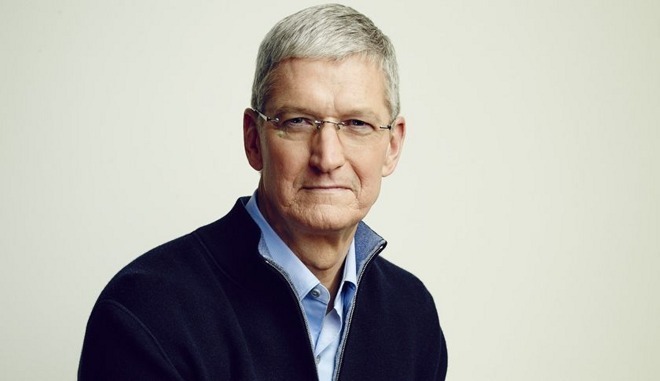
Apple CEO Tim Cook to Receive Honorary Degree, Give 'Fireside Chat' at University of Glasgow

02/04/2017

2979

Apple CEO Tim Cook to Receive Honorary Degree, Give 'Fireside Chat' at University of Glasgow


Tickets for the chat are already sold out, according to an official Eventbrite page. The event is scheduled to run for an hour at Bute Hall, starting "promptly" at 6 p.m. local time.

The page praises Cook for shepherding "innovative new products and services," as well as charitable donations by workers, and a move towards 
using renewable energy to power Apple's offices, stores, and data centers.

It also highlights Cook and Apple's regular leading positions in Fortune rankings, and Cook's personal awards from the Human Rights Campaign and the Robert F. Kennedy Center for Justice & Human Rights. Recently the CEO 
won a "Free Expression Award" from the Newseum, a museum and advocacy group based in Washington, D.C.

The CEO has received honorary degrees in the past, namely 
from George Washington University. His regular degrees include one in industrial engineering from Auburn University in Alabama, and an MBA from Duke University in North Carolina.


Source: Appleinsider

Windows
Mac OS
iOS
Linux
3uTools
Win 64-bit For this device
V9.0 2025-11-11
Download
Win 32-bit For this device
V9.0 2025-11-11
Download
3uTools V3.18
2025-09-18
Please use the 3uTools PC client to install the iOS client:
1、 Install either the Windows or Mac version of 3uTools on your computer
2、 Open the PC client and connect your device to the computer via USB cable
3、 After the connection is successful, wait for the computer to automatically install the mobile app for the device, or locate “Install Mobile App” on the computer and manually click to install.
3uTools
deb file
V3.01 2025-11-20
Download
rpm file
V3.01 2025-11-20
Download
Windows
Windows
iOS
iOS
Android
Android
TV
TV
3uAirPlayer
Win 64-bit For this device
V6.0.2 2025-11-19
Download
Win 32-bit For this device
V6.0.2 2025-11-19
Download
iOS Device Mirroring (No App Required)
1、 Install 3uAirPlayer on the Windows PC
2、 Open Control Center and select Screen Mirroring
3、 From the list, choose your PC to start mirroring
4、 Or connect your iOS device to the PC via USB to begin mirroring
Scan to get "3uAirPlayer" App
3uAirPlayer TV V1.0.18
2025-11-28
TV System Requirements: Android 7.0 or later
Download the TV installation package, copy it to a USB drive, insert it into your TV or set-top box, then select the file from the home screen to install.