NEWS

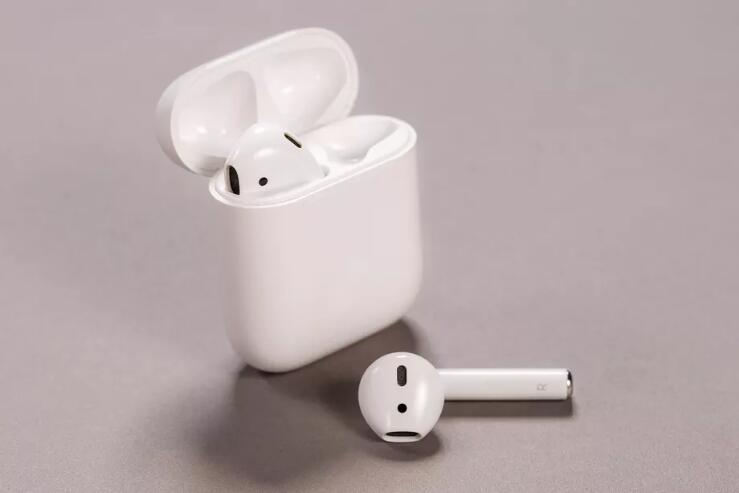
Airpods, Apple Watch, and Homepod Will Face 10% Import Tax

08/14/2019

3095

Airpods, Apple Watch, and Homepod Will Face 10% Import Tax


A new set of tariffs from the Trump administration will put a 10 percent import tax on smartwatches, fitness trackers, smart speakers, and Bluetooth headphones, starting September 1st. The administration plans to delay proposed tariffs on most consumer electronics until December 15th, including cell phones and laptops.


But the tariffs are still likely to land heavily on Apple, which relies on Chinese manufacturing for its HomePod, AirPods, and Apple Watch. These goods were exempted last year after manufacturers sent letters to the government asking for relief. “It is difficult to see how tariffs that hurt U.S. companies and U.S. consumers will advance the Government’s objectives with respect to China’s technology policies,” Apple wrote at the time.


Although the iPhone and MacBook Pro are spared until December, this tariff hike will still have a significant impact on Apple’s bottom line. CEO Tim Cook said during the company’s last earnings call that, when combined, the company’s divisions for services, wearables, home, and accessories approach the size of a Fortune 50 company.


Apple’s seen the tariffs coming for nearly a year now and has reportedly explored moving manufacturing out of China in response. It also already experienced a 10 percent import tax hike that affected its chargers. Its prices didn’t change, however; Apple and its suppliers absorbed the difference. We’ve reached out to Apple for comment on this most recent tariff news and will update if we hear back.


Source: theverge

Windows
Mac OS
iOS
Linux
3uTools
Win 64-bit For this device
V9.01 2025-12-27
Download
Win 32-bit For this device
V9.01 2025-12-27
Download
3uTools
Intel Chip How to Identify Chip Type
V9.01 2025-12-31
Download
Apple Silicon
V9.01 2025-12-31
Download
How to Identify Chip Type
1.  Click the Apple icon in the top-left corner of the screen and select About This Mac.
2.  Check the Processor or Chip field to determine if it is "Intel" or "Apple".
Please use the 3uTools PC client to install the iOS client:
1、 Install either the Windows or Mac version of 3uTools on your computer
2、 Open the PC client and connect your device to the computer via USB cable
3、 After the connection is successful, wait for the computer to automatically install the mobile app for the device, or locate “Install Mobile App” on the computer and manually click to install.
3uTools
deb file
V3.01 2025-11-20
Download
rpm file
V3.01 2025-11-20
Download
Windows
Windows
iOS
iOS
Android
Android
TV
TV
3uAirPlayer
Win 64-bit For this device
V6.0.2 2025-11-19
Download
Win 32-bit For this device
V6.0.2 2025-11-19
Download
iOS Device Mirroring (No App Required)
1、 Install 3uAirPlayer on the Windows PC
2、 Open Control Center and select Screen Mirroring
3、 From the list, choose your PC to start mirroring
4、 Or connect your iOS device to the PC via USB to begin mirroring
Scan to get "3uAirPlayer" App
3uAirPlayer TV V1.0.18
2025-11-28
TV System Requirements: Android 7.0 or later
Download the TV installation package, copy it to a USB drive, insert it into your TV or set-top box, then select the file from the home screen to install.