
NEWS

Apple Leads All U.S. Companies in Domestic Solar Energy Capacity

07/26/2019

2973

Apple had more installed solar energy capacity in the United States than any other company as of the end of 2018, according to a new report released by the Solar Energy Industries Association (via CNBC). 
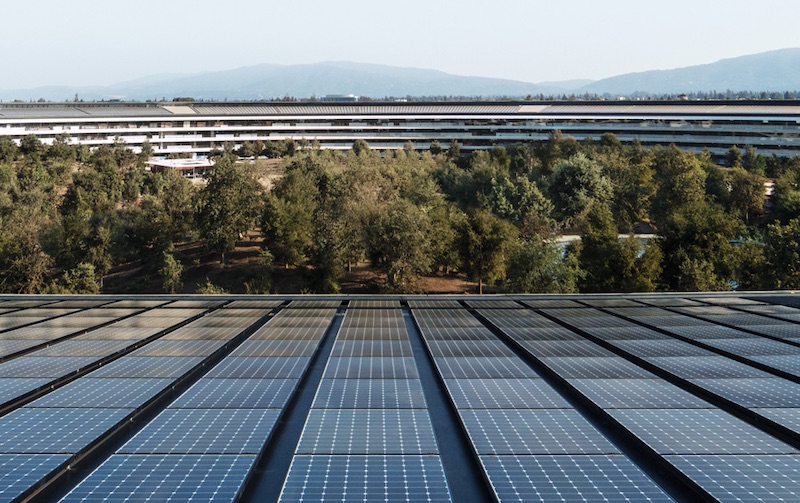
Apple Leads All U.S. Companies in Domestic Solar Energy Capacity
Apple led the way with 393.3 megawatts of installed solar energy capacity, topping Amazon and Target at 329.8 megawatts and 242.4 megawatts respectively. Google trailed in sixth with 142.9 megawatts. The rankings are based on both on-site and off-site solar installations in the United States. 

Last year, Apple announced that all of its global facilities, including retail stores, offices, and data centers, are now powered with 100 percent renewable energy. Apple Park, for example, is powered by a 17-megawatt rooftop solar installation, four megawatts of biogas fuel cells, and other clean sources. 

"We're going to keep pushing the boundaries of what is possible with the materials in our products, the way we recycle them, our facilities and our work with suppliers to establish new creative and forward-looking sources of renewable energy because we know the future depends on it," said Apple CEO Tim Cook.


Source: Macrumors

Windows
Mac OS
iOS
Linux
3uTools
Win 64-bit For this device
V9.0 2025-11-11
Download
Win 32-bit For this device
V9.0 2025-11-11
Download
3uTools
Intel Chip How to Identify Chip Type
V9.0 2025-12-02
Download
Apple Silicon
V9.0 2025-12-02
Download
How to Identify Chip Type
1.  Click the Apple icon in the top-left corner of the screen and select About This Mac.
2.  Check the Processor or Chip field to determine if it is "Intel" or "Apple".
Please use the 3uTools PC client to install the iOS client:
1、 Install either the Windows or Mac version of 3uTools on your computer
2、 Open the PC client and connect your device to the computer via USB cable
3、 After the connection is successful, wait for the computer to automatically install the mobile app for the device, or locate “Install Mobile App” on the computer and manually click to install.
3uTools
deb file
V3.01 2025-11-20
Download
rpm file
V3.01 2025-11-20
Download
Windows
Windows
iOS
iOS
Android
Android
TV
TV
3uAirPlayer
Win 64-bit For this device
V6.0.2 2025-11-19
Download
Win 32-bit For this device
V6.0.2 2025-11-19
Download
iOS Device Mirroring (No App Required)
1、 Install 3uAirPlayer on the Windows PC
2、 Open Control Center and select Screen Mirroring
3、 From the list, choose your PC to start mirroring
4、 Or connect your iOS device to the PC via USB to begin mirroring
Scan to get "3uAirPlayer" App
3uAirPlayer TV V1.0.18
2025-11-28
TV System Requirements: Android 7.0 or later
Download the TV installation package, copy it to a USB drive, insert it into your TV or set-top box, then select the file from the home screen to install.




