 NEWS
NEWS
Google Fit Works with Apple Watch Now
 04/30/2019
 4328
4328
Previously, the only way to get to your Fit data on the iPhone was in a special section of the Wear OS app. Which means if you didn't have a Wear OS device, that section would've been empty for you. So if you've seen the Fit app on Android, there won't be much of a difference for iOS users.
Now, the Google Fit - Activity Tracker app is available for Apple gadgets. And it's free!
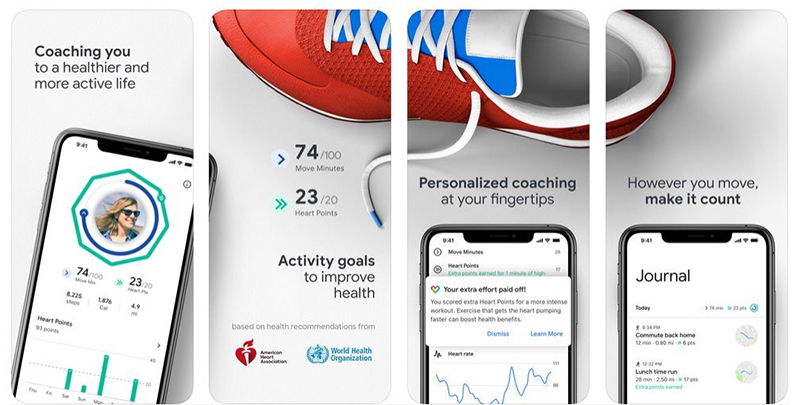
The app focuses on Move Minutes and Heart Point and diverse activities based on your movement. Google Fit has the app integrate with Apple Health, Nike Run Club, Sleep Cycle, and Headspace which can then also sync with Google Fit.
What this means is that your growth in other health apps will contribute towards your Google Fit goals in a harmonious fashion. The iOS app does sync with both the Apple Watch and Wear OS devices, which again is a great feature.
Google's fitness app is created around the concept of closing rings to beat activity goals, based on recommendations from the American Heart Association and the World Health Organization. It's broken down to roughly 150 minutes of "moderate" activity a week, and 75 minutes of "vigorous" activity.
The system is based around two metrics: Move Minutes, or the time you were active, and Heart Points, the intensity of the activity.
If you're using Apple Health, it already tracks your movement data, so there may not really be a legitimate reason or need to switch to the Google Fit app on iOS. Either way you decide to go it's still great to see Google offering the option by bringing it's Fit service to those who maybe use different devices. Google Fit is now available on the App Store.
Source: Kim Komando










