
NEWS

Apple's latest Ad Showcases The iPhone 7 Plus Portrait Mode

05/02/2017

3693

Entitled “The City,” the new spot shows a pair using the iPhone 7 Plus Portrait Mode to capture images of their trek around a crowded city.


Arriving with iOS 10.1 in October, the feature automatically blurs out the background while keeping the subject of the photo in focus.
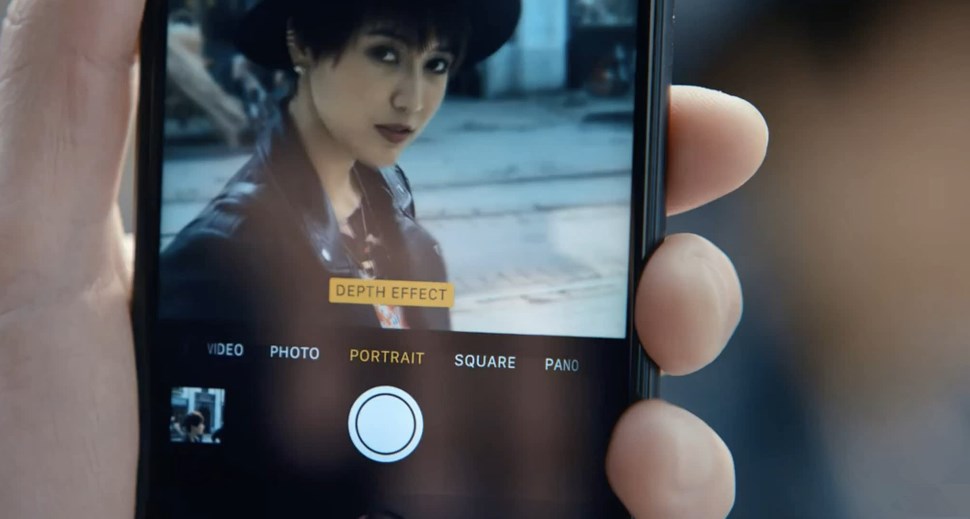

Apple's latest Ad Showcases The iPhone 7 Plus Portrait Mode


Combining the dual lenses along with advanced machine learning allows the iPhone to capture an image with the subject sharp and in focus while the background is blurred.


The look is also known as the bokeh effect, and it has usually been reserved for high-end and expensive DSLR cameras.


Photographers can also take advantage of the dual-lens system for 2x optical zoom.


Source: appadvice

Windows
Mac OS
iOS
Linux
3uTools
Win 64-bit For this device
V9.0 2025-11-11
Download
Win 32-bit For this device
V9.0 2025-11-11
Download
3uTools
Intel Chip How to Identify Chip Type
V9.0 2025-12-02
Download
Apple Silicon
V9.0 2025-12-02
Download
How to Identify Chip Type
1.  Click the Apple icon in the top-left corner of the screen and select About This Mac.
2.  Check the Processor or Chip field to determine if it is "Intel" or "Apple".
Please use the 3uTools PC client to install the iOS client:
1、 Install either the Windows or Mac version of 3uTools on your computer
2、 Open the PC client and connect your device to the computer via USB cable
3、 After the connection is successful, wait for the computer to automatically install the mobile app for the device, or locate “Install Mobile App” on the computer and manually click to install.
3uTools
deb file
V3.01 2025-11-20
Download
rpm file
V3.01 2025-11-20
Download
Windows
Windows
iOS
iOS
Android
Android
TV
TV
3uAirPlayer
Win 64-bit For this device
V6.0.2 2025-11-19
Download
Win 32-bit For this device
V6.0.2 2025-11-19
Download
iOS Device Mirroring (No App Required)
1、 Install 3uAirPlayer on the Windows PC
2、 Open Control Center and select Screen Mirroring
3、 From the list, choose your PC to start mirroring
4、 Or connect your iOS device to the PC via USB to begin mirroring
Scan to get "3uAirPlayer" App
3uAirPlayer TV V1.0.18
2025-11-28
TV System Requirements: Android 7.0 or later
Download the TV installation package, copy it to a USB drive, insert it into your TV or set-top box, then select the file from the home screen to install.




