
NEWS

Apple Releases Beta of ProRes RAW for Windows 10

03/31/2020

2607

Apple is making it easier for video editors to work with footage encoded in ProRes RAW within their preferred workflow, by releasing beta software for Windows allowing Adobe video editing tools to use ProRes RAW files on PCs.
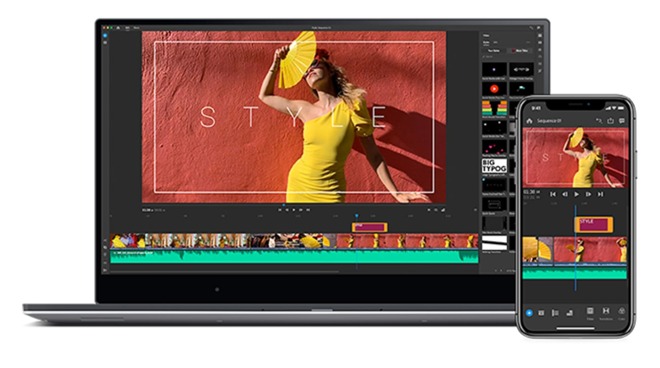
Apple Releases Beta of ProRes RAW for Windows 10


Published on Apple's support pages on Monday, Apple ProRes RAW for Windows 1.0 Beta is software that "enables playback of ProRes RAW and ProRes RAW HQ video files in compatible applications on Windows systems." The software is free to download, weighs in at 737 kilobytes, and requires the use of a 64-bit version of Windows 10.

ProRes RAW is Apple's codec family that is praised for its image quality and editing performance, especially for real-time multistream editing. The RAW version builds upon the codec's compression technology by still providing access to raw image data from the camera sensor, giving editors more flexibility and choice while retaining image quality.

The new software allows ProRes RAW and ProRes RAW files to be played back on a Windows desktop within specific applications. In the release text, Apple says that the release works with Adobe After Effects, Media Encoder, Premiere, and Premiere Rush, Adobe tools used for editing and encoding video.

The release is likely to be welcomed by video editors, as it allows them to process ProRes RAW footage within the Adobe editing suite on their choice of Windows PC, rather than relying on a Mac or converting the video to a more compatible format beforehand.


Source: Appleinsider

Windows
Mac OS
iOS
Linux
3uTools
Win 64-bit For this device
V9.0 2025-11-11
Download
Win 32-bit For this device
V9.0 2025-11-11
Download
3uTools
Intel Chip How to Identify Chip Type
V9.0 2025-12-02
Download
Apple Chip
V9.0 2025-12-02
Download
How to Identify Chip Type
1.  Click the Apple icon in the top-left corner of the screen and select About This Mac.
2.  Check the Processor or Chip field to determine if it is "Intel" or "Apple".
Please use the 3uTools PC client to install the iOS client:
1、 Install either the Windows or Mac version of 3uTools on your computer
2、 Open the PC client and connect your device to the computer via USB cable
3、 After the connection is successful, wait for the computer to automatically install the mobile app for the device, or locate “Install Mobile App” on the computer and manually click to install.
3uTools
deb file
V3.01 2025-11-20
Download
rpm file
V3.01 2025-11-20
Download
Windows
Windows
iOS
iOS
Android
Android
TV
TV
3uAirPlayer
Win 64-bit For this device
V6.0.2 2025-11-19
Download
Win 32-bit For this device
V6.0.2 2025-11-19
Download
iOS Device Mirroring (No App Required)
1、 Install 3uAirPlayer on the Windows PC
2、 Open Control Center and select Screen Mirroring
3、 From the list, choose your PC to start mirroring
4、 Or connect your iOS device to the PC via USB to begin mirroring
Scan to get "3uAirPlayer" App
3uAirPlayer TV V1.0.18
2025-11-28
TV System Requirements: Android 7.0 or later
Download the TV installation package, copy it to a USB drive, insert it into your TV or set-top box, then select the file from the home screen to install.




