 NEWS
NEWS
Apple Sets Global Purchase Limits on iPhones, New iPads, And Macs
 03/20/2020
 3197
3197
Apple has set limits on the number of new iPad Pro and Mac devices, as well as current iPhone models, that users can order from its online storefront across the globe.
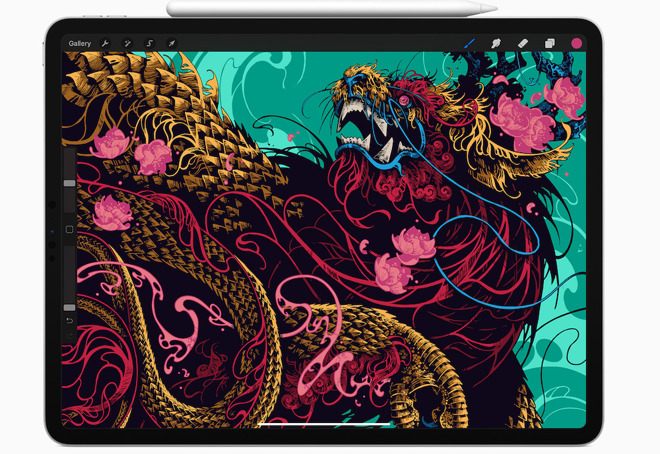
The order limits apply to Apple's brand new 2020 iPad Pro models, along with most iPhones and select Macs.
The Cupertino iPhone maker has occasionally implemented order limits in the past to help curb the gray market, but these new restrictions seemed to be aimed at mitigating lingering supply issues due to COVID-19.
Currently, there appear to be limits on new MacBook Air and Mac mini models with customers restricted to five per order total. For iOS and iPadOS devices, the limits appear to be a bit more stringent, with customers only able to buy two units each of 11-inch iPad Pro and 12.9-inch iPad Pros. The two-per-order limit also applies to every iPhone model Apple currently sells, from the iPhone 11 Pro to the iPhone 8.
Earlier on Thursday, the purchase limits appeared in select Asian countries — such as China — as fine print on the primary product page for the aforementioned devices.
Now, the purchase limits appear to have rolled out across the U.S., U.K., Canada, Europe and other regions. In most non-Asian regions, the limits won't appear until the checkout process.
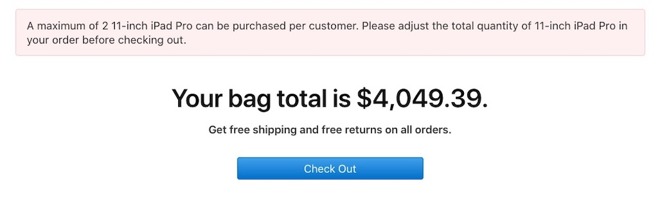
An example of the order limit text in the U.S., which only appears during the checkout process if more than two iPads are in the bag.
While the available supply of iPhone and AirPods appears to be normalizing, Apple is still likely seeing the effects of a COVID-19 shutdown that brought its supply chain to a halt in February.
As a result of that, Apple said it would likely miss its revenue guidance for the quarter. China is currently recovering from its coronavirus outbreak, but suppliers in the country are still concerned about the impact of the virus on global supply and demand.
Source: Appleinsider









