NEWS

All New 2020 iPad Pro Models Feature 6GB RAM and Ultra Wideband Chip

03/19/2020

3395

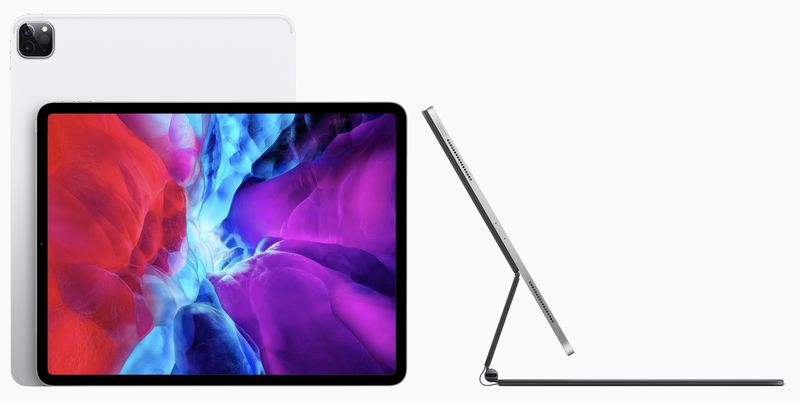
Apple this morning introduced updated iPad Pro models with A12Z Bionic chips, dual camera setups, a new LiDAR Scanner for augmented reality, and a new Magic Keyboard accessory that adds a trackpad to the ‌iPad Pro‌ for the first time.

All New 2020 iPad Pro Models Feature 6GB RAM and Ultra Wideband Chip
Based on code in iOS 13.4, there are also a couple other ‌iPad Pro‌ features that have remained hidden. According to 9to5Mac, the new ‌iPad Pro‌ models are all feature 6GB RAM and include Apple's Ultra Wideband chips.


With the 2018 ‌iPad Pro‌, the higher-capacity models with 1TB of storage were equipped with 6GB RAM, while the other models with lower storage capacities featured 4GB RAM. This year, the RAM has been upped and all models have the same 6GB of RAM available.


The new ‌iPad Pro‌ models also appear to have Apple's U1 Ultra-Wideband chip, which was first introduced in the iPhone 11, 11 Pro, and 11 Pro Max.


There is no mention of the U1 chip in the ‌iPad Pro‌'s feature list, and it's not clear why. 9to5Mac speculates that perhaps the features are not available at this time and will be enabled with a future software update.


The U1 chip is designed for indoor positioning, and Apple has likened it to "GPS at the scale of the living room." In the iPhone, Apple uses the U1 chip for AirDrop, allowing an ‌iPhone‌ with U1 chip to be pointed at another ‌iPhone‌ for directional file sharing.


It's believed that Apple's upcoming AirTag item trackers will also be equipped with U1 chips and will be able to be precisely located by devices that feature Ultra Wideband support.


Source: Macrumors


Windows
Mac OS
iOS
Linux
3uTools
Win 64-bit For this device
V9.0 2025-11-11
Download
Win 32-bit For this device
V9.0 2025-11-11
Download
3uTools
Intel Chip How to Identify Chip Type
V9.0 2025-12-02
Download
Apple Chip
V9.0 2025-12-02
Download
How to Identify Chip Type
1.  Click the Apple icon in the top-left corner of the screen and select About This Mac.
2.  Check the Processor or Chip field to determine if it is "Intel" or "Apple".
Please use the 3uTools PC client to install the iOS client:
1、 Install either the Windows or Mac version of 3uTools on your computer
2、 Open the PC client and connect your device to the computer via USB cable
3、 After the connection is successful, wait for the computer to automatically install the mobile app for the device, or locate “Install Mobile App” on the computer and manually click to install.
3uTools
deb file
V3.01 2025-11-20
Download
rpm file
V3.01 2025-11-20
Download
Windows
Windows
iOS
iOS
Android
Android
TV
TV
3uAirPlayer
Win 64-bit For this device
V6.0.2 2025-11-19
Download
Win 32-bit For this device
V6.0.2 2025-11-19
Download
iOS Device Mirroring (No App Required)
1、 Install 3uAirPlayer on the Windows PC
2、 Open Control Center and select Screen Mirroring
3、 From the list, choose your PC to start mirroring
4、 Or connect your iOS device to the PC via USB to begin mirroring
Scan to get "3uAirPlayer" App
3uAirPlayer TV V1.0.18
2025-11-28
TV System Requirements: Android 7.0 or later
Download the TV installation package, copy it to a USB drive, insert it into your TV or set-top box, then select the file from the home screen to install.