 NEWS
NEWS
Apple Postpones Alleged March Product Event Amid Coronavirus Restrictions
 03/11/2020
 2312
2312
Apple is postponing a March event that would have seen the introduction of new products like the low-cost iPhone and iPad Pro with triple-lens camera setup, according to a source at Apple that spoke to Cult of Mac.
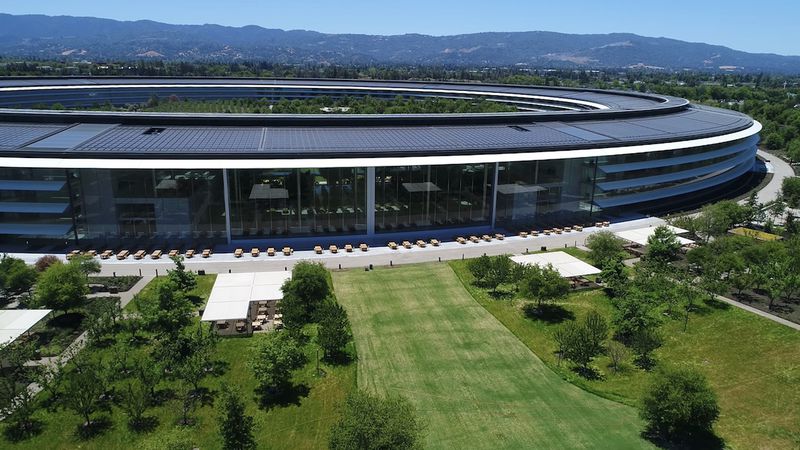
Apple allegedly became "concerned" about bringing people together at Apple Park for the event, said to be planned for late March. There was a rumor in February suggesting Apple would hold an event on March 31, but Apple never announced the event so there was no confirmation that it was going to happen.
It's no surprise that if there was indeed a March event planned that it has now been canceled. Yesterday, Santa Clara County, which is where Cupertino is located, banned all gatherings of 1,000 people or more. The ban lasts from March 11 to April 1, so Apple could not hold a large event in March even if it wanted to.
While the order from Santa Clara County was said to have been a major factor in the decision to postpone the event, Cult of Mac's source also claims that there were "delays in producing two of the primary products," which also led Apple to call off event plans.
Many of Apple's suppliers in China were forced to close their factories in February due to the coronavirus, which may have caused production delays on devices like the low-cost iPhone. Factories are back up and running, but are experiencing lower than normal production levels because of travel restrictions and staffing shortages.
Apple is now said to be waiting to better evaluate the "production schedule of components" and "final product assembly," making it difficult to determine a firm product announcement plan.
Given Santa Clara County's ban, it's clear that there's not going to be a March event, but there have been a lot of mixed rumors on product availability and the production status of devices like the new iPad Pro and the low-cost iPhone.
Even with no event, Apple could choose to unveil these products in March through a press release, though the aforementioned possible production issues could delay the announcements, too.
Apple's Worldwide Developers Conference, which typically takes place in June, is also in jeopardy. The event normally attracts around 5,000 developers who convene at the McEnery Convention Center in San Jose, California.
The Santa Clara County ban does not extend to June at this time, but Apple may still choose to cancel the conference given the unknowns of how the coronavirus will spread in the area in the coming weeks.
WWDC announcements usually come a couple months ahead of when the conference is planned to give developers time to purchase airfare and reserve hotel rooms, so it's possible we could hear about Apple's WWDC plans soon.
Even if Apple does not hold an in-person developer event, it could still choose to unveil new software through a virtual event and host virtual gatherings for developers.
Source: Macrumors









