 NEWS
NEWS
Apple Fails to Invalidate Caltech Patent Tied to $1.1B Lawsuit
 03/06/2020
 2358
2358
Apple's bid to invalidate a California Institute of Technology patent that lies at the heart of a $1.1 billion patent infringement verdict was quashed on Thursday, leaving the tech giant on the hook for $838 million.
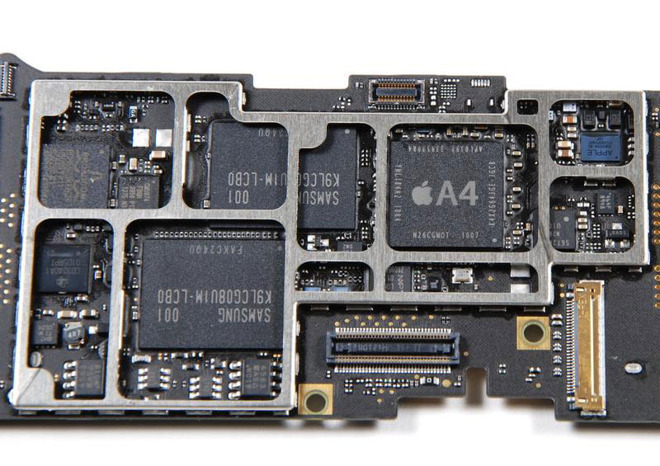
Logic board from Apple's first iPad, released in 2010. | Source: iFixit
The U.S. Court of Appeals for the Federal Circuit affirmed a 2018 decision by the Patent Trial and Appeal Board that upheld the validity of U.S. Patent No. 7,116,710, granted to Caltech in 2006, reports Bloomberg Law. Apple in a parallel filing challenged the wireless technology patent covering data coding systems on grounds that the invention is obvious and therefore not eligible for protection under patent law.
The '710 patent was one of four Caltech properties leveraged in a 2016 lawsuit that claimed Apple and Broadcom infringed on valuable IRA/LDPC encoding and decoding technology. As it applies to Apple devices, the patents-in-suit cover chips supporting 802.11n and 802.11ac wireless technologies.
In January, a federal jury sided with Caltech and in a verdict awarded the university $1.1 billion in damages and potential royalties.
During the trial Caltech's lawyers argued a hypothetical licensing deal in 2010 for chips used in iPhone, iPad, Mac, Apple Watch and other products would have brought in some $1.40 per device from Apple and 26 cents each from Broadcom. That calculation was adopted by the jury to level an $838 million fine for Apple and accompanying $270 million fine for Broadcom.
Apple tried to counter the claims by saying it used common Wi-Fi chips supplied by Broadcom, suggesting it was not responsible for the development of encoding and decoding solutions that might infringe on Caltech's IP.
Both companies plan to appeal the ruling.
Source: Appleinsider









