 NEWS
NEWS
Taika Waititi Slams Apple's MacBook Pro Keyboards in Oscar Speech
 02/11/2020
 3647
3647
Taika Waititi, winner of this year's Best Adapted Screenplay Oscar for "Jojo Rabbit," says Apple's keyboards make him want to go back to using a PC.
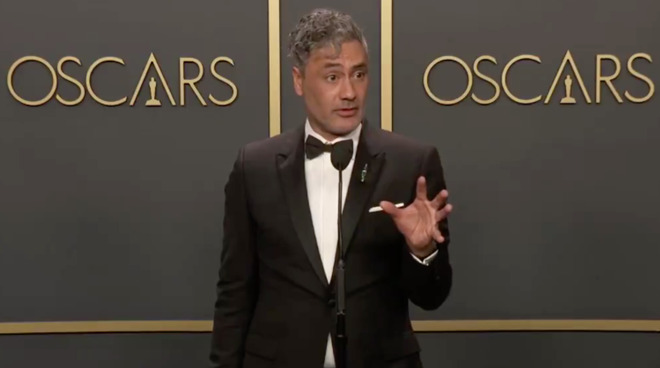
Film director, actor and writer Taika Waititi, says that Apple's keyboards are "horrendous" and that it's become such an issue that the Writers' Guild of America should intervene. He was speaking after receiving the Oscar for Best Adapted Screenplay for his film "Jojo Rabbit," and was asked what the most pressing concerns for writers are today.
Taika Waititi jokes about what writers should be asking for in the next round of talks with producers: "Apple needs to fix those keyboards. They are impossible to write on. They've gotten worse. It makes me want to go back to PCs" #Oscars pic.twitter.com/vlFTSjCfZm — Variety (@Variety) February 10, 2020
"Apple needs to fix those keyboards, they are impossible to write on [and] they've gotten worse," he told Variety. "It makes me want to go back to PCs. Because PC keyboards, the bounce-back for your fingers is way better. It's a way better keyboard and those Apple keyboards are horrendous."
New Zealander Waititi, who also directed and starred in "Jojo Rabbit," says that even "the latest one" is poor. He refers to that as an iMac but from context probably means the 16-inch MacBook Pro.
He reported that he has RSI, which is known in New Zealand as Occupational Overuse Syndrome or OOS.
"I've got some shoulder problems, I've got OOS," he continued. "And what happens is you open the laptop and you're like this [hunched over]. we've just got to fix those keyboards. The WGA needs to step in and actually do something."
The Writers' Guild of America (West and East) does mandate standard writing terms that include health-related concerns, but it has yet to take on a keyboard manufacturer.
Source: Appleinsider









