
NEWS

Apple Begins Selling Refurbished 2019 iPad Air and iPad Mini 5 Models

02/03/2020

2416

Apple today began selling certified refurbished third-generation iPad Air and fifth-generation iPad mini models in the United States for the first time since the devices were released in March 2019.

A wide selection of refurbished iPad Air and iPad mini 5 models are available, including configurations with Wi-Fi or LTE, 64GB or 256GB storage, and Space Gray, Gold, or Silver finishes. Prices are discounted by around 15 percent compared to the equivalent brand new models on Apple.com.
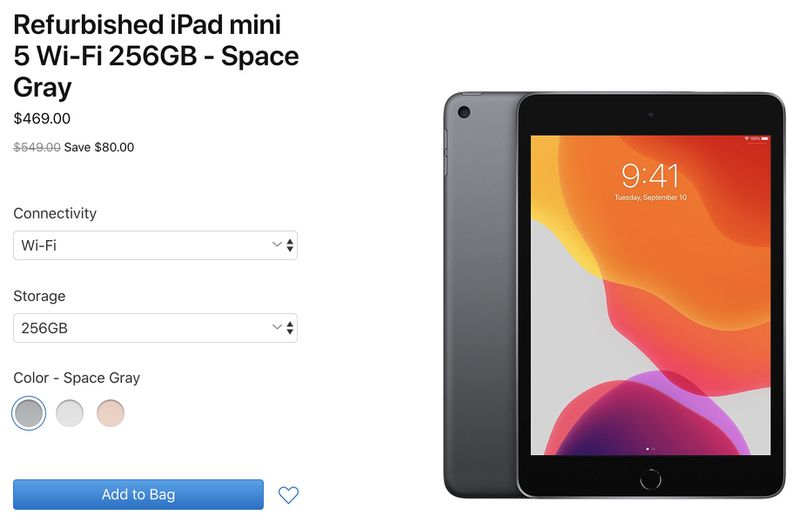
Apple Begins Selling Refurbished 2019 iPad Air and iPad Mini 5 Models
Apple says certified refurbished iPad models are thoroughly inspected, tested, cleaned, and repackaged in a new white box, with all accessories and documentation included. Every refurbished iPad receives a new battery and a new outer shell, making them virtually indistinguishable from brand new iPads.

Every refurbished iPad is covered by Apple's standard one-year warranty effective on the date the tablet is delivered. The coverage can be extended to two years from the refurbished purchase date with AppleCare+, which costs $69 or $3.49 per month for the latest iPad Air and iPad mini in the United States.

While certified refurbished iPads represent a decent opportunity for savings straight from Apple, better deals are often available from resellers like Amazon and Best Buy. Be sure to monitor our Apple Deals roundup.


Source: Macrumors

Windows
Mac OS
iOS
Linux
3uTools
Win 64-bit For this device
V9.0 2025-11-11
Download
Win 32-bit For this device
V9.0 2025-11-11
Download
3uTools
Intel Chip How to Identify Chip Type
V9.0 2025-12-02
Download
Apple Chip
V9.0 2025-12-02
Download
How to Identify Chip Type
1.  Click the Apple icon in the top-left corner of the screen and select About This Mac.
2.  Check the Processor or Chip field to determine if it is "Intel" or "Apple".
Please use the 3uTools PC client to install the iOS client:
1、 Install either the Windows or Mac version of 3uTools on your computer
2、 Open the PC client and connect your device to the computer via USB cable
3、 After the connection is successful, wait for the computer to automatically install the mobile app for the device, or locate “Install Mobile App” on the computer and manually click to install.
3uTools
deb file
V3.01 2025-11-20
Download
rpm file
V3.01 2025-11-20
Download
Windows
Windows
iOS
iOS
Android
Android
TV
TV
3uAirPlayer
Win 64-bit For this device
V6.0.2 2025-11-19
Download
Win 32-bit For this device
V6.0.2 2025-11-19
Download
iOS Device Mirroring (No App Required)
1、 Install 3uAirPlayer on the Windows PC
2、 Open Control Center and select Screen Mirroring
3、 From the list, choose your PC to start mirroring
4、 Or connect your iOS device to the PC via USB to begin mirroring
Scan to get "3uAirPlayer" App
3uAirPlayer TV V1.0.18
2025-11-28
TV System Requirements: Android 7.0 or later
Download the TV installation package, copy it to a USB drive, insert it into your TV or set-top box, then select the file from the home screen to install.




