
NEWS

Brydge Introduces iPad Pro Keyboard With Multi-Touch Trackpad, Also Teases Standalone Trackpad

01/03/2020

3325

Apple accessory maker Brydge this week introduced a new iPad Pro keyboard with a built-in multi-touch trackpad. 

Taking advantage of new AssistiveTouch functionality in iPadOS, the trackpad can be used to bring up the Dock from any app with a two-finger tap, access the App Exposé screen with a three-finger tap, and more. 
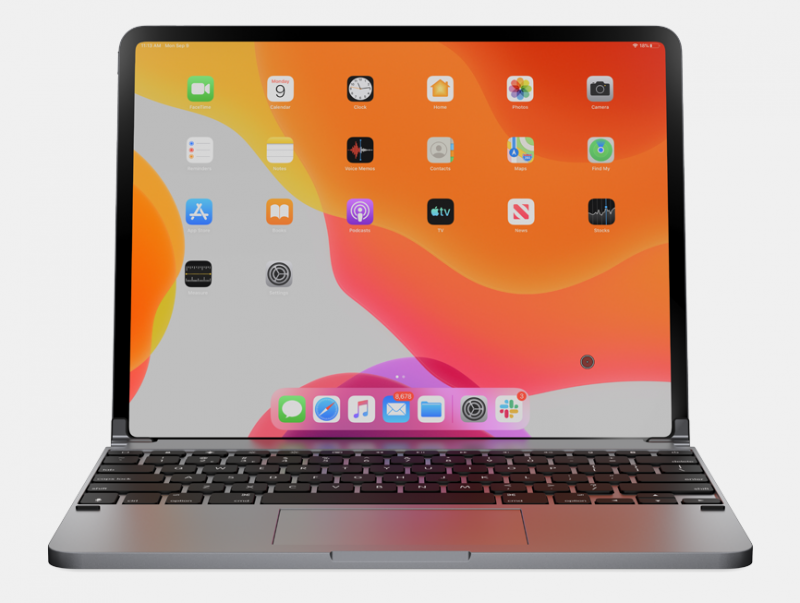
Brydge Introduces iPad Pro Keyboard With Multi-Touch Trackpad, Also Teases Standalone Trackpad
The full-size QWERTY keyboard features LED-backlit keys with three levels of brightness and an advertised three-month battery life per charge. It is compatible with the latest-generation 11-inch and 12.9-inch iPad Pro models, connecting via Bluetooth 4.1 rather than the Smart Connector. 

Pricing is set at $199.99 for the 11-inch iPad Pro and $229.99 for the 12.9-inch iPad Pro, with the first 500 pre-orders estimated to ship in late February 2020, followed by the remainder of pre-orders shipping in late March 2020. 


Brydge is also gauging interest for a standalone multi-touch trackpad for the iPad Pro, pictured above, that is "coming soon."


Source: Macrumors

Windows
Mac OS
iOS
Linux
3uTools
Win 64-bit For this device
V9.0 2025-11-11
Download
Win 32-bit For this device
V9.0 2025-11-11
Download
3uTools
Intel Chip How to Identify Chip Type
V9.0 2025-12-02
Download
Apple Chip
V9.0 2025-12-02
Download
How to Identify Chip Type
1.  Click the Apple icon in the top-left corner of the screen and select About This Mac.
2.  Check the Processor or Chip field to determine if it is "Intel" or "Apple".
Please use the 3uTools PC client to install the iOS client:
1、 Install either the Windows or Mac version of 3uTools on your computer
2、 Open the PC client and connect your device to the computer via USB cable
3、 After the connection is successful, wait for the computer to automatically install the mobile app for the device, or locate “Install Mobile App” on the computer and manually click to install.
3uTools
deb file
V3.01 2025-11-20
Download
rpm file
V3.01 2025-11-20
Download
Windows
Windows
iOS
iOS
Android
Android
TV
TV
3uAirPlayer
Win 64-bit For this device
V6.0.2 2025-11-19
Download
Win 32-bit For this device
V6.0.2 2025-11-19
Download
iOS Device Mirroring (No App Required)
1、 Install 3uAirPlayer on the Windows PC
2、 Open Control Center and select Screen Mirroring
3、 From the list, choose your PC to start mirroring
4、 Or connect your iOS device to the PC via USB to begin mirroring
Scan to get "3uAirPlayer" App
3uAirPlayer TV V1.0.18
2025-11-28
TV System Requirements: Android 7.0 or later
Download the TV installation package, copy it to a USB drive, insert it into your TV or set-top box, then select the file from the home screen to install.




