 NEWS
NEWS
Apple’s Global head of Accessibility, Offers More Details About Apple’s Focus on Accessibility.
 12/16/2019
 2349
2349
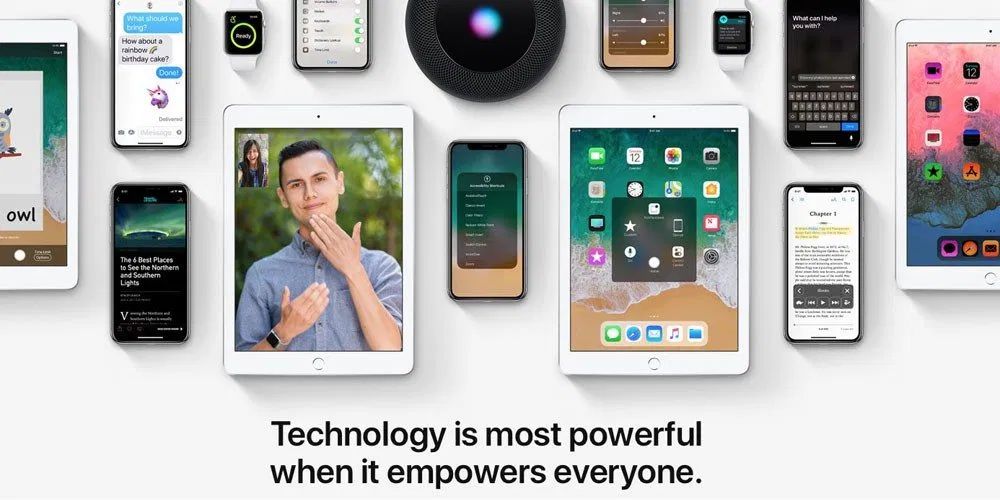
Apple puts a big emphasis on the accessibility of its products, ranging from iPhone and Apple Watch to AirPods and more. In a new interview, Sarah Herrlinger, Apple’s global head of accessibility, offers more details about Apple’s focus on accessibility.
Speaking to the Evening Standard, Herrlinger explained that Apple’s central goal is to level the playing field and give everyone the ability to be productive members of society.
“We all want to be productive members of society and do good things and show the whole of who we are. Being able to create technology that levels the playing field and lets everyone shine is really important,” she says.
When it comes to developing new accessibility features, Herrlinger said that one of key resources for Apple is emails from customers. Hearing a user articulate why an accessibility feature would be useful for them is often the “aha moment” for Apple, Herrlinger said.
“We get a wealth of emails every day from customers who write to us to ask questions, or give feedback that provides us with a different perspective, they may report bugs, all kinds of different things,” says Herrlinger. “Knowing that one person may articulate a problem in a certain way – it’s the aha moment – of course we should do that.”
One of Apple’s biggest accessibility advancements is VoiceOver, which is a screen reader technology that helps visually impaired users know what’s on their iPhone’s screen. VoiceOver has been successful because of its deep implementation throughout iOS, Herrlinger explained: “VoiceOver is built to be available in every nook and cranny of the operating system,” explains Herrlinger. “If you’re trying to take a photo, it’ll tell you how many heads are on the screen, where they are centred, if you need to tilt the camera slightly and how to move so you can take a more levelled photo.”
Herrlinger also elaborated on the AirPods’ Live Listen feature. This allows your iPhone to act as a directional microphone, with audio being played back live to a pair of AirPods. Herrlinger said that this is one of many examples of an accessibility feature having a broader use case than originally intended: “Things in assistive technology have applicability for a broader audience so it’s always fun when we find things that were originally built for one community that have such great applicability for so many.”
Source: 9to5mac









