
NEWS

A Maxed Out Mac Pro Will Cost Over $52,000

12/11/2019

2626

With Mac Pro orders now live, pricing for all of the build to order options for the machine are available, giving us an idea of what it's going to cost to get the top of the line upgrades. 

Apple lets ‌Mac Pro‌ buyers upgrade the processor, RAM, GPU, and SSD, as well as add an Apple Afterburner card, wheels, and accessories, all of which add to the cost. 
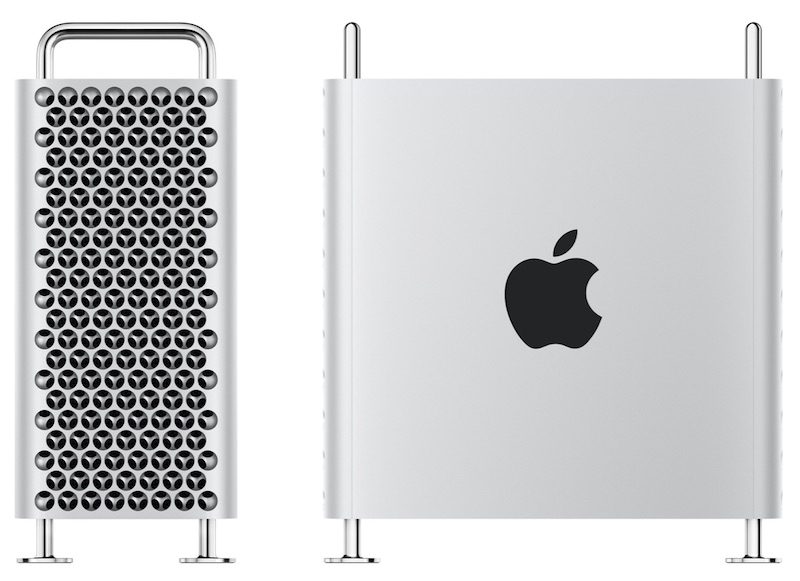
A Maxed Out Mac Pro Will Cost Over $52,000
Starting with the base ‌Mac Pro‌ with a 3.5GHz Xeon W processor, 32GB RAM, a Radeon Pro 580X with 8GB memory, and 256GB SSD, choosing all available internal hardware upgrades will net you a price of $52,199. 

Add to that the $400 wheels, and the price goes up to $52,599. From there, if you tack on the Magic Mouse 2 and Magic Trackpad 2 combo, you can get a maximum price of $52,748. 

If you want a maxed out rack mounted ‌Mac Pro‌, expect to pay an additional $500 when that option becomes available, for a total price of $52,848. 

If you want to add a Pro Display XDR to your ‌Mac Pro‌, expect to pay $4,999 for the display itself, plus an additional $999 for the stand. Add on an extra $1,000 if you want Apple's special nano-texture glass, for a total display price of $6,998. You can, however, save some cash if you go with a VESA mount, which is priced at just $200. 

That means a maxed out ‌Mac Pro‌ with Apple's top of the line specs (minus the rack mount, since that's a niche option) and the best Pro Display XDR will cost just shy of $60,000 at $59,748.


Source: Macrumors

Windows
Mac OS
iOS
Linux
3uTools
Win 64-bit For this device
V9.0 2025-11-11
Download
Win 32-bit For this device
V9.0 2025-11-11
Download
3uTools
Intel Chip How to Identify Chip Type
V9.0 2025-12-02
Download
Apple Chip
V9.0 2025-12-02
Download
How to Identify Chip Type
1.  Click the Apple icon in the top-left corner of the screen and select About This Mac.
2.  Check the Processor or Chip field to determine if it is "Intel" or "Apple".
Please use the 3uTools PC client to install the iOS client:
1、 Install either the Windows or Mac version of 3uTools on your computer
2、 Open the PC client and connect your device to the computer via USB cable
3、 After the connection is successful, wait for the computer to automatically install the mobile app for the device, or locate “Install Mobile App” on the computer and manually click to install.
3uTools
deb file
V3.01 2025-11-20
Download
rpm file
V3.01 2025-11-20
Download
Windows
Windows
iOS
iOS
Android
Android
TV
TV
3uAirPlayer
Win 64-bit For this device
V6.0.2 2025-11-19
Download
Win 32-bit For this device
V6.0.2 2025-11-19
Download
iOS Device Mirroring (No App Required)
1、 Install 3uAirPlayer on the Windows PC
2、 Open Control Center and select Screen Mirroring
3、 From the list, choose your PC to start mirroring
4、 Or connect your iOS device to the PC via USB to begin mirroring
Scan to get "3uAirPlayer" App
3uAirPlayer TV V1.0.18
2025-11-28
TV System Requirements: Android 7.0 or later
Download the TV installation package, copy it to a USB drive, insert it into your TV or set-top box, then select the file from the home screen to install.




