
NEWS

Apple to Release Mac Pro and Pro Display XDR on December 10

12/09/2019

3828

Apple plans to release the new Mac Pro and the Pro Display XDR on Tuesday, December 10, according to "Save the Date" emails that Apple began sending out to some customers this afternoon. 
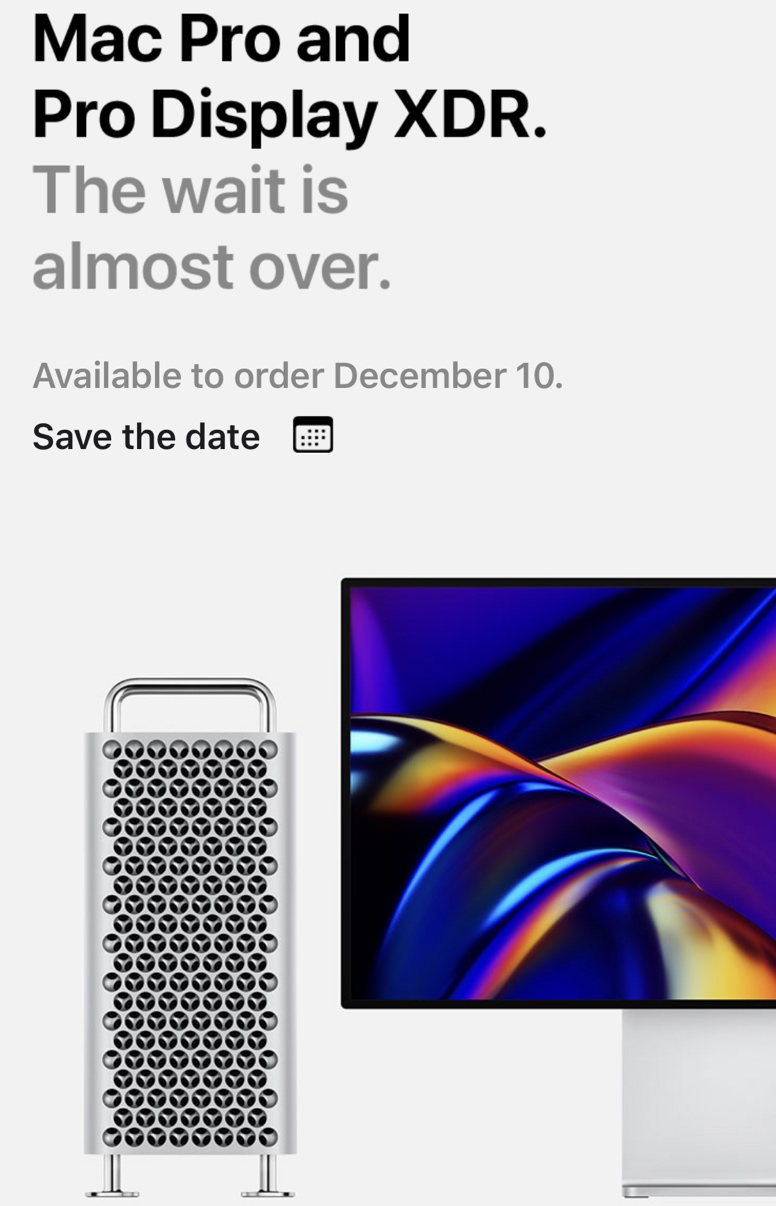
Apple to Release Mac Pro and Pro Display XDR on December 10
Apple in November confirmed that the ‌Mac Pro‌ and Pro Display XDR would come in December, but until now, the company had not provided a specific date. Apple's emails say orders will begin on December 10, so presumably shipments will begin soon after orders open up. 

The new modular ‌Mac Pro‌ was first introduced in June at the WorldWide developers Conference, with the machine aimed at Apple's pro user base. 

The ‌Mac Pro‌ was designed with a heavy focus on upgradeability and expansion, and it features a traditional PC shape with an Apple-esque stainless steel frame with a lattice pattern that maximizes airflow. 

Internal specs include workstation-class Xeon processors with up to 28 cores, up to 1.5TB of high-performance memory, up to two Radeon Pro II Duo GPUs, and eight PCIe expansion slots, along with an Apple Afterburner accelerator card. 

Pricing on the ‌Mac Pro‌ will start at $6,000, and will go up based on configuration. The base ‌Mac Pro‌ features an 8-core Xeon W chip. 

Apple plans to sell the ‌Mac Pro‌ alongside the Pro Display XDR, a 6K display with a resolution of 6016 x 3384 and more than 20 million pixels. Pricing on the Pro Display XDR starts at $5,000, with an add-on stand priced at $999. 


Source: Macrumors

Windows
Mac OS
iOS
Linux
3uTools
Win 64-bit For this device
V9.0 2025-11-11
Download
Win 32-bit For this device
V9.0 2025-11-11
Download
3uTools
Intel Chip How to Identify Chip Type
V9.0 2025-12-02
Download
Apple Chip
V9.0 2025-12-02
Download
How to Identify Chip Type
1.  Click the Apple icon in the top-left corner of the screen and select About This Mac.
2.  Check the Processor or Chip field to determine if it is "Intel" or "Apple".
Please use the 3uTools PC client to install the iOS client:
1、 Install either the Windows or Mac version of 3uTools on your computer
2、 Open the PC client and connect your device to the computer via USB cable
3、 After the connection is successful, wait for the computer to automatically install the mobile app for the device, or locate “Install Mobile App” on the computer and manually click to install.
3uTools
deb file
V3.01 2025-11-20
Download
rpm file
V3.01 2025-11-20
Download
Windows
Windows
iOS
iOS
Android
Android
TV
TV
3uAirPlayer
Win 64-bit For this device
V6.0.2 2025-11-19
Download
Win 32-bit For this device
V6.0.2 2025-11-19
Download
iOS Device Mirroring (No App Required)
1、 Install 3uAirPlayer on the Windows PC
2、 Open Control Center and select Screen Mirroring
3、 From the list, choose your PC to start mirroring
4、 Or connect your iOS device to the PC via USB to begin mirroring
Scan to get "3uAirPlayer" App
3uAirPlayer TV V1.0.18
2025-11-28
TV System Requirements: Android 7.0 or later
Download the TV installation package, copy it to a USB drive, insert it into your TV or set-top box, then select the file from the home screen to install.




