
NEWS

AirPods Pro Demand is So Strong That Apple is Reportedly Doubling Production

11/28/2019

5210

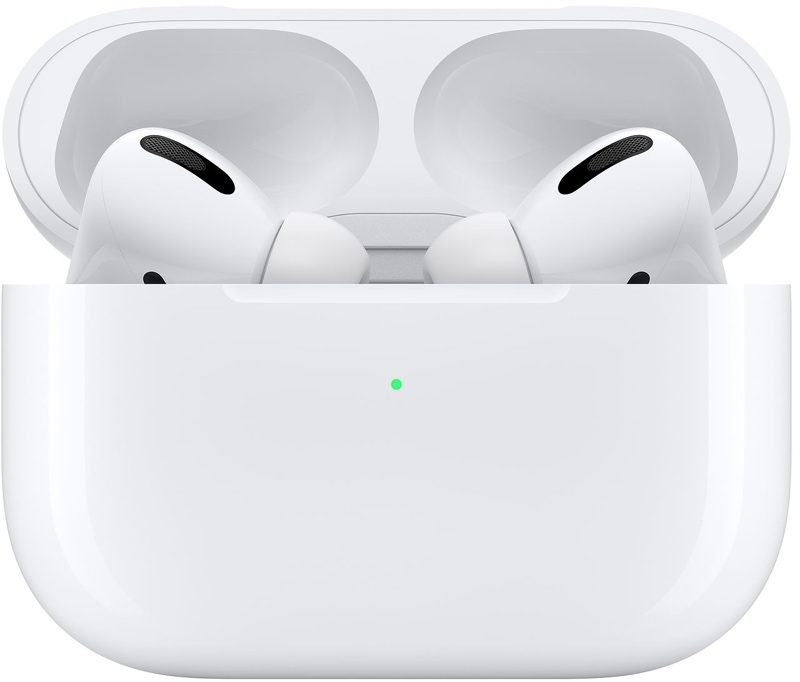
Following a recent Bloomberg report claiming that the new AirPods Pro are experiencing "much higher" than expected demand, the Nikkei Asian Review reports that Apple has asked its supplier Luxshare Precision to double production of the high-end earphones to two million units per month. 
AirPods Pro Demand is So Strong That Apple is Reportedly Doubling Production
The report adds that Apple has also asked Luxshare and fellow Chinese manufacturer Goertek to boost production of the regular AirPods at their Vietnam-based factories, although it is unclear by how much. 

AirPods Pro are currently estimated for delivery around December 31 through Apple's online store in the United States, so orders placed today are not guaranteed to arrive in time for Christmas. However, authorized resellers such as Amazon, Best Buy, AT&T, and T-Mobile still quote delivery within the first week of December. 

Amazon is even offering a slight discount on the AirPods Pro for Black Friday, pricing them at $234.98, a savings of nearly $15. 

AirPods are considered to be the world's best selling truly wireless earphones, with surging popularity since their release in late 2016. Together with the Apple Watch, the earphones have been a driving force behind growth in Apple's wearables category, which recently set new fourth quarter revenue records worldwide. 

AirPods Pro feature several improvements over the regular AirPods, including active noise cancellation, improved sound quality, and water resistance. 


Source: Macrumors

Windows
Mac OS
iOS
Linux
3uTools
Win 64-bit For this device
V9.0 2025-11-11
Download
Win 32-bit For this device
V9.0 2025-11-11
Download
3uTools
Intel Chip How to Identify Chip Type
V9.0 2025-12-02
Download
Apple Chip
V9.0 2025-12-02
Download
How to Identify Chip Type
1.  Click the Apple icon in the top-left corner of the screen and select About This Mac.
2.  Check the Processor or Chip field to determine if it is "Intel" or "Apple".
Please use the 3uTools PC client to install the iOS client:
1、 Install either the Windows or Mac version of 3uTools on your computer
2、 Open the PC client and connect your device to the computer via USB cable
3、 After the connection is successful, wait for the computer to automatically install the mobile app for the device, or locate “Install Mobile App” on the computer and manually click to install.
3uTools
deb file
V3.01 2025-11-20
Download
rpm file
V3.01 2025-11-20
Download
Windows
Windows
iOS
iOS
Android
Android
TV
TV
3uAirPlayer
Win 64-bit For this device
V6.0.2 2025-11-19
Download
Win 32-bit For this device
V6.0.2 2025-11-19
Download
iOS Device Mirroring (No App Required)
1、 Install 3uAirPlayer on the Windows PC
2、 Open Control Center and select Screen Mirroring
3、 From the list, choose your PC to start mirroring
4、 Or connect your iOS device to the PC via USB to begin mirroring
Scan to get "3uAirPlayer" App
3uAirPlayer TV V1.0.18
2025-11-28
TV System Requirements: Android 7.0 or later
Download the TV installation package, copy it to a USB drive, insert it into your TV or set-top box, then select the file from the home screen to install.




