 NEWS
NEWS
Ex-Apple Executives Take aim at Datacenter Processor Market
 11/18/2019
 2943
2943
A trio of former Apple executives who worked on the iPhone maker's mobile chips have launched their own startup to design processors destined for use in data centers, with the company Nuvia recently raising $53 million in funding.
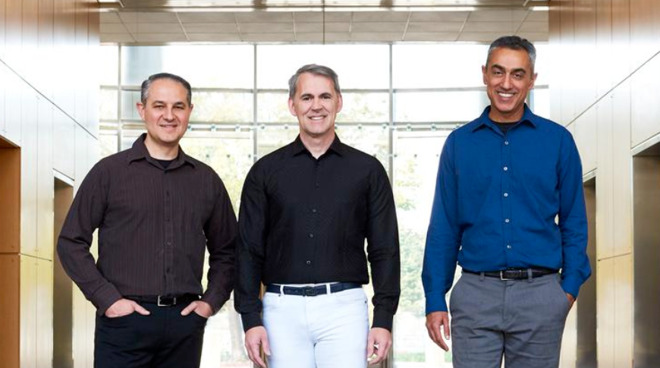
From left to right: John Bruno, Gerard Williams III, and Manu Gulati
The three founders of Nuvia are Gerard Williams III, Manu Gulati, and John Bruno, who all worked for Apple for multiple years. Williams left Apple earlier this year after spending nine years at the company, leaving his position as senior director of platform architecture, and having helped architect Apple's CPU and Systems-on-Chip development for Apple's self-designed A-series processors.
According to Williams' LinkedIn, he was the "Chief Architect for all Apple CPU and SOC development," including leading work on the Cyclone, Typhoon, Twister, Hurricane, Monsoon, and Vortex architectures.
Gulati worked on mobile SoC development for eight years at Apple, before being hired away by Googlein 2017. Bruno worked on Apple's platform architecture group for five years after spending time at AMD, before making a similar exit to Google.
Reuters reports the trio are using their backgrounds in mobile chip development and the creation of power-efficient but powerful processors for the iPhone and other Apple products in Nuvia, but for data center usage. By targeting a processor market that typically uses power-hungry chips, the team are hoping their self-designed chip codenamed "Phoenix" will offer performance gains and lower energy usage, as well as more security than current server processors.
"We want to bring all these aspects that we have developed over time through our careers to this new market and really exploit them in this market, because it's an area ripe for innovation and advancement," Williams advised.
The effort puts them against industry giants like AMD and Intel who already make up the majority of server processors used today. A similar concept is also being made like other chip producers, such as Qualcomm and Marvell, who are keen to pivot their knowledge of mobile chip design towards server usage.
So far, the project has caught the attention of major server vendor Dell, who among with a number of other investors has put $53 million in funding into the startup. Dell is a major customer of Intel, so investing in potential alternatives offering power savings could be worth investigating, but the company advised it could not comment on whether Dell would use Nuvia's chips in its servers.
Source: Appleinsider










