 NEWS
NEWS
Mac Pro Spotted in Studio of DJ Calvin Harris Ahead of Launch
 11/11/2019
 2544
2544
Apple's new Mac Pro, still listed on Apple's website as "coming this fall," has been spotted in the wild this weekend at the studio of DJ and producer Calvin Harris. 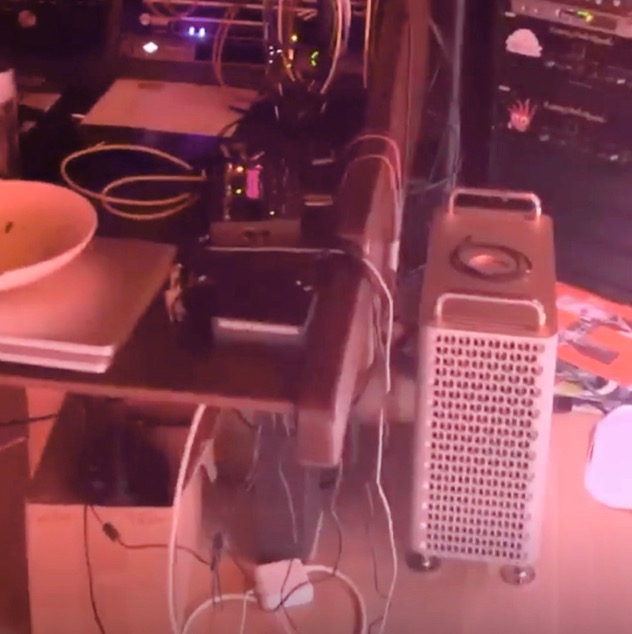
On Saturday, Harris posted an Instagram story featuring some of his music and offering his followers a peek into his production studio, in which a Mac Pro with signature cheese grater case and carry handles can be seen sat on the floor next to a desk.
The sighting suggests Apple has shared the new high-throughput machine with creative professionals to give them a feel for its power and potential ahead of its public release, which could be any day now.
The all-new Mac Pro boasts up to 28-core Intel Xeon processors, up to 1.5TB of ECC RAM, up to 4TB of SSD storage, and up to AMD Radeon Pro Vega II Duo graphics with 64GB of HBM2 memory. The computer also has eight PCIe expansion slots for maximum performance, expansion, and configurability.
A new design includes a stainless steel frame with smooth handles and an aluminum housing that lifts off for 360-degree access to the entire system. The housing also has a unique lattice pattern to maximize airflow and quiet operation. 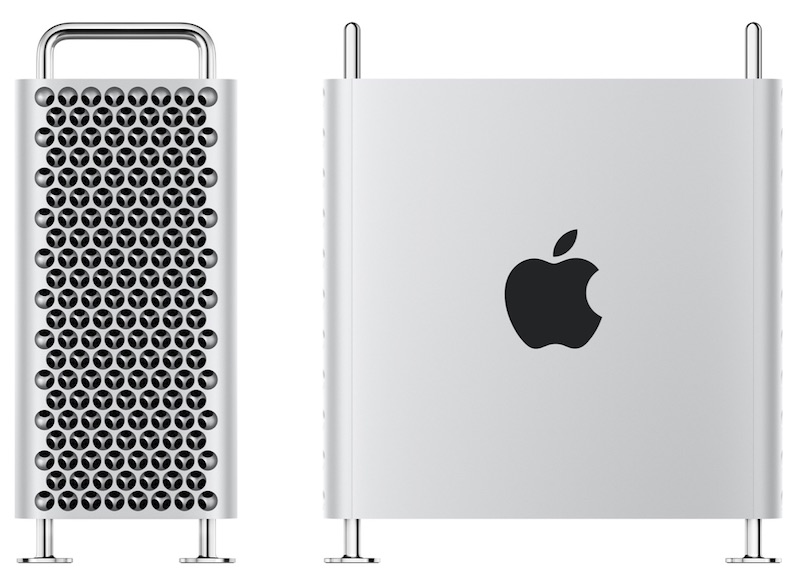
Apple announced the Mac Pro on June 3, and the company has been teasing a fall release on its website ever since, without specifying a launch date. The machine received FCC approval on October 30, suggesting pre-order availability is not far away.
The Mac Pro starts at $5,999, so this machine is only for the most serious professional users. They could also twin it with the $6,000 Pro Display XDR, which is expected to be released at the same time.
Source: Macrumors









